
Rated 5 stars by families looking after an older parent
KinCarer for care organisations
Know your carers arrived. Take fewer calls. Pay one price per family.
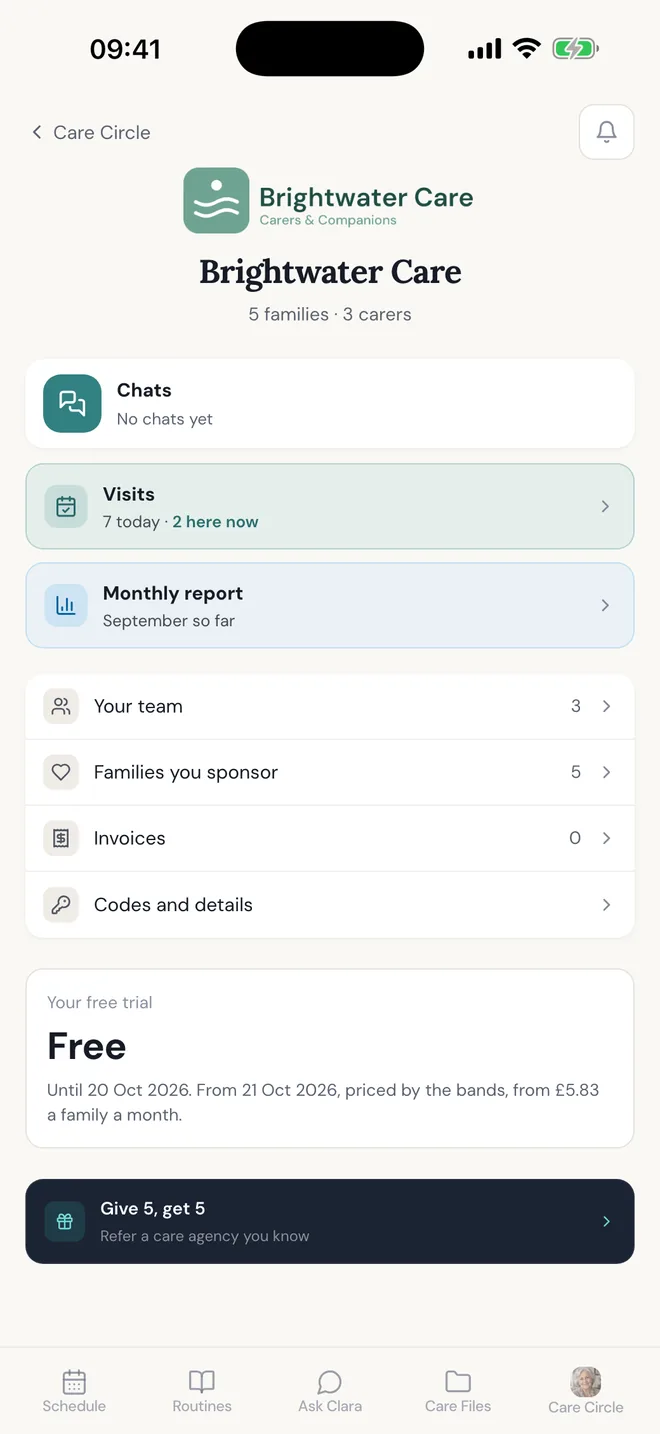
Include KinCarer Family+ for the families you support. They get one shared place for the schedule, the medication and the appointments, so their questions stop landing on your office. You get your own side of the app: today's visits, late alerts and every family on your code.
You pay per family, nothing per carer or relative. They own their circle. First 30 days free.
Sound familiar?
You still do visits yourself. And your phone is the one the families ring.
“Did Mum take her tablets?” “Who is coming on Thursday?” “Can you tell my brother?” Twenty families, one office, and every answer means finding the carer who was there.
It is not that your carers don't write things down. They do.
It is that they write it somewhere the family cannot see. So the family rings you.
Give the family their own place, with the schedule, the medication and the notes your carer already writes, and the question is answered before it becomes a call.
What you get
Your side of the app.
Today's visits, late alerts, every family on your code. Nothing from inside a family's circle.
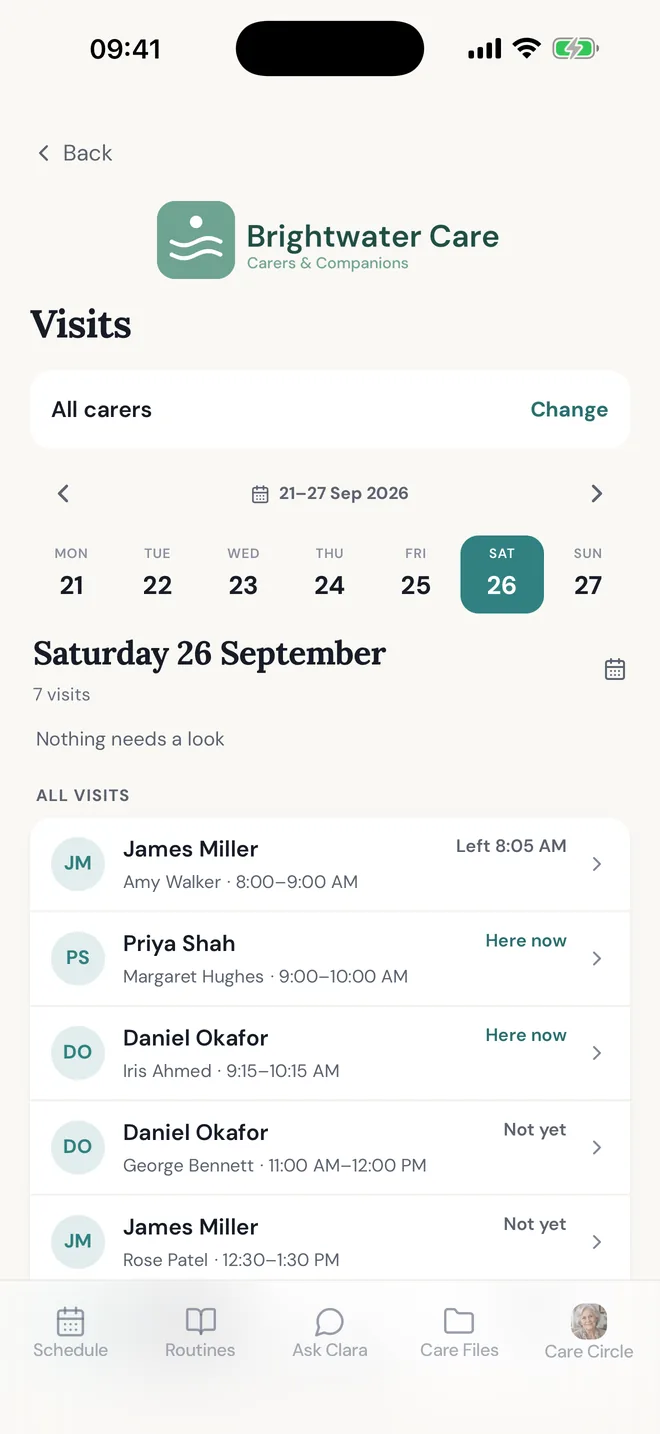
Every visit today, at a glance
Every carer and every family: here now, not yet, or left. Nobody rings round to find out.
Told when nobody arrives
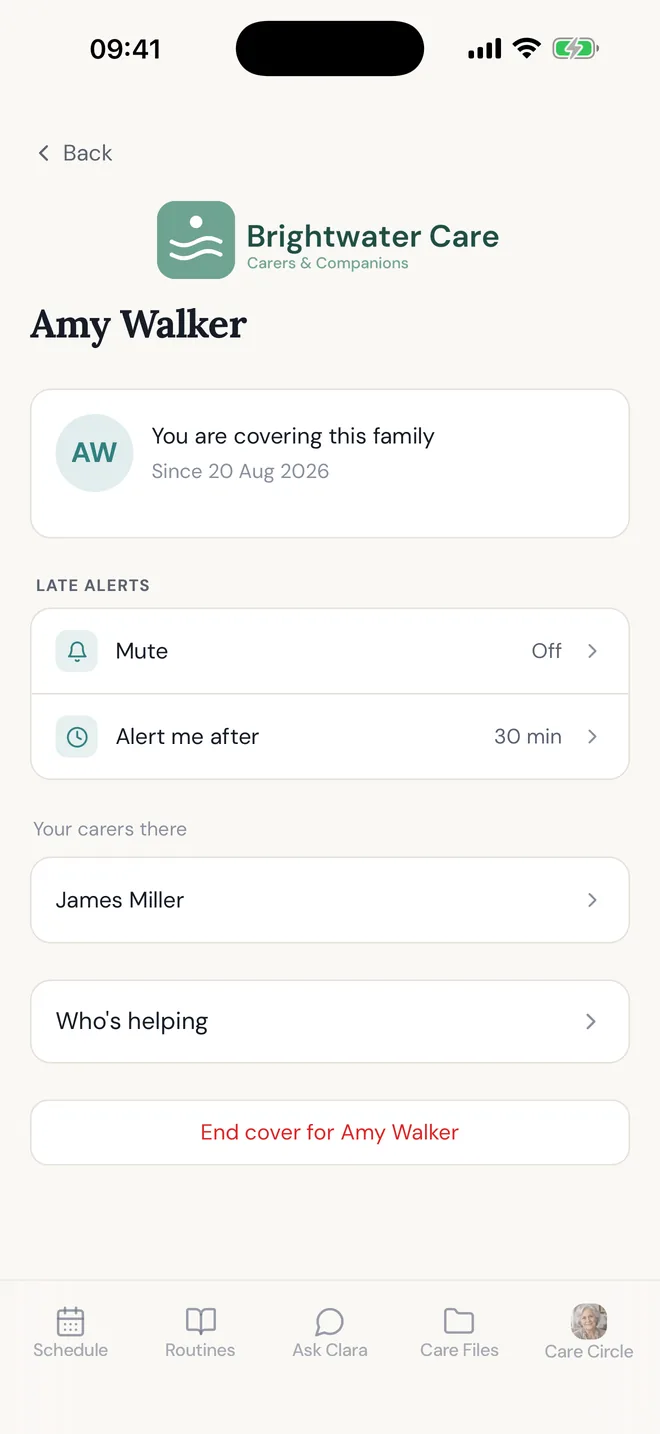
Set how long after the start of a visit you want to know. An urgent task left undone reaches you too.
Who has used your code
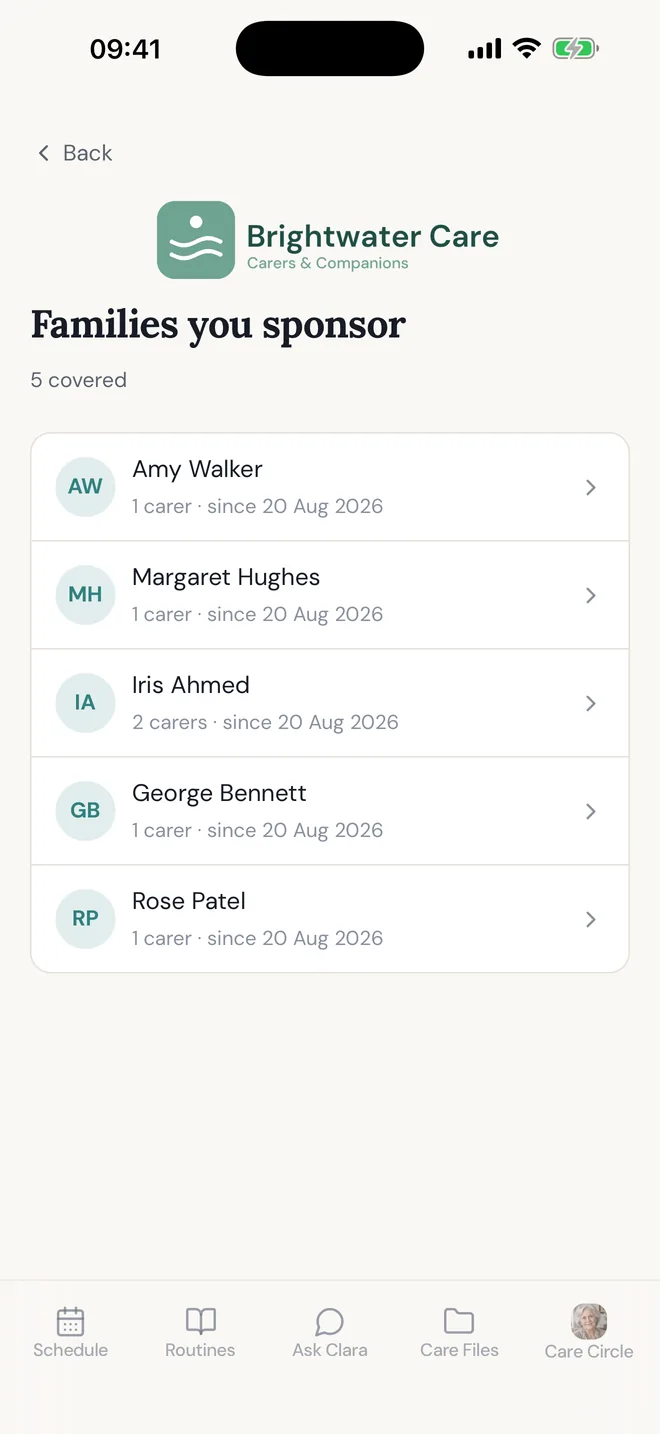
Every family you cover and which of your carers are with each. End cover with one tap if a code reaches the wrong person.
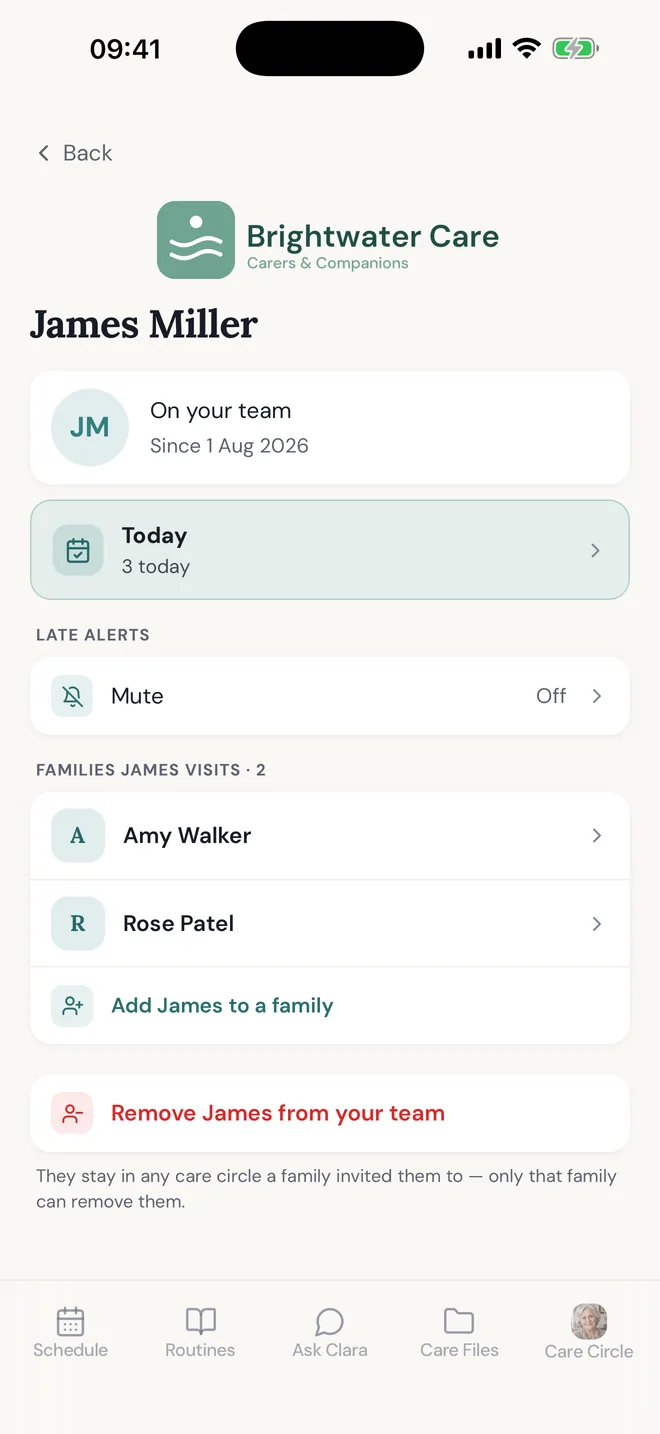
Your carers, placed where you need them
Carers join with your staff code. Put one into a family's circle as a paid carer; the family is told and can remove them.
What it protects
Your carers are being asked to do a job nobody hired them for.
“Can you pass this on to my brother?” “Did anyone book the follow-up?” None of it is in the care plan, and it lands on your carer because your carer is the person standing there. Give the family their own place to coordinate and those questions have somewhere else to go.
Stays with your carer
The visit, the notes, the care plan, anything in the contracted service.
Moves to the family
Relaying updates between relatives, chasing appointments, remembering who is doing what.
How it works
Four steps. Two are yours, and they take a minute.
- 01
You pick the families
No minimum, no rollout across your whole book. Start with the families who are struggling to keep everyone in the loop.
- 02
They get Family+
The whole app: shared schedule, medication, appointments, care notes, and as many relatives and carers as they want to add.
- 03
The circle is theirs
They choose who joins and what gets shared, exactly as if they had paid for it themselves.
- 04
You see your side of it
Your families, your carers, your invoice. Nothing from inside a circle. If a carer does not arrive, the app tells you.
What you can see
The family decides what you see.
Paying for a family's place shows you that you cover them: the circle's name, when they started, and which of your own carers are in it. It does not open the circle. Nothing a family writes reaches you unless they invite you in.
You receive
- The families who have used your code, and which of your carers are with each
- An alert when your carer has not arrived, or has left an urgent task undone
- Your invoice, per family, in the app on the 1st
- Your own codes and link: one for carers, one for families
- Materials for your welcome pack
- A named contact when you need one
You do not see
- Tasks, appointments or medication
- Care notes, messages or photos
- The family's address
- Who else is in the circle, beyond your own carers
Unless the family invites you into their circle.
Price
Per family. Not per carer, not per relative.
Prices depend on where your organisation is based. Tell us about your organisation and we will send you the prices for your country.
Each family is priced by its place in the order they joined your code: your first 49 at the first band, families 50 to 149 at the second, and so on.
Above 500 families, we agree the price with you.
Invoices
One invoice, on the 1st
Per family, in advance, as a PDF in the app. A family who joins part way through pays only for the days they have had. Due on the 1st, by bank transfer.
No notice period: cancel before the 1st and there is no invoice.
Questions
What care organisations ask before they say yes.
What does a free trial involve?
We set up your code and you hand it out however suits you. For 30 days it is free, and any family can start in that time. If you want to carry on, you do nothing: from day 31 you pay per family. If not, tell us before the 30 days are up and it simply ends.
How many families do we have to commit to?
None. You pay in advance, on the 1st, for the families on your code that month, or once a year if you prefer. Cancel before the 1st and there is no invoice. Free trials usually run with between ten and fifty families.
What happens if we stop covering a family?
They keep their circle and nothing is deleted. Unless they take Family+ themselves, it becomes read-only seven days later, and the app tells them on day one.
Where is our clients' data held?
In Ireland, on Supabase infrastructure in the EU. Care circles are private to the family who owns them. Clara, the optional assistant, sends a person's question and the care details it needs to OpenAI, and only after that person has agreed to it in the app.
Are we a data controller or processor for this?
KinCarer is the controller for everything a family puts in the app. You receive what you need to run your service: the families you cover, where your own carers are, and alerts about your own staff. You are the controller of that, as you already are for your client and staff records. Neither of us processes data on the other's instructions, so no data-processing agreement is needed.
Can you complete our supplier questionnaire or DPIA?
Yes. We fill in whatever form you use rather than sending you ours, and we name our sub-processors on request.
Will we know when a family uses our code?
Straight away, in the app. If your code reaches someone who is not your client, you end their cover with one tap and that circle cannot use it again.
What do our carers see?
What the family lets them. A family can limit a paid carer to their own visits and notes, and keep documents and photos from them. Your carers join your team with a staff code, which puts them on your list and in no family's circle.
What if a family already pays for KinCarer?
They can cancel their own subscription and use your code instead. The change takes effect at the start of their next billing period, so they are never paying twice and never lose access in between.
From families
What families say.
“Before KinCarer, everything lived in WhatsApp messages and my head. Now everyone can see what needs doing, who checked in, and what changed. It has made caring for Mum feel less chaotic.”
“KinCarer is exactly the kind of practical tool families ask for. It gives people a simple way to organise care before things become overwhelming.”
Free trial
Tell us how many families you support.
We are taking on a small number of care organisations and setting each one up personally. Nothing to install. Your first 30 days are free.
We read every one of these ourselves and reply within two working days.