
Managing UK Repeat Prescriptions: Use Proxy Access Before Mum Runs Out
UK carers can manage repeat prescriptions with NHS proxy access, track requests, and share a monthly routine. Request repeats five working days early.
By The KinCarer team ·
The quickest way to request a repeat prescription is through the NHS App or your GP’s online service, both available 24 hours a day. Allow around three working days for the surgery to process your request, plus extra time for the pharmacy to prepare it. If you’re caring for someone else, NHS proxy access lets you request and track their repeats using your own login, once your GP practice has approved it.
TL;DR:
- Submit requests up to five working days before supplies run out; after GP approval, pharmacies usually need three to five days to prepare medicines.
- For ongoing medicines, ask whether electronic repeat dispensing can cover up to 12 months, and record when the batch ends because automatic refills stop then.
- Carers need GP practice approval before proxy access appears in their own NHS account; they should never use the patient’s personal login.
- When a request is rejected, check the stated reason and contact the surgery about overdue reviews or missing repeat items instead of resubmitting it.
- If medicine is urgently needed outside surgery hours, contact NHS 111 online for advice; a pharmacist may provide emergency supply in genuine emergencies.
Table of Contents
- How to request a repeat prescription: NHS App, GP online services, phone and pharmacy routes
- How to check and track the status of a repeat prescription
- Electronic repeat dispensing (eRD): what it is and how it works for long-term meds
- Setting up and using proxy access: practical steps for family carers
- A concise routine and checklist to stop missed refills
- If a request is rejected or you need an urgent supply: immediate steps
- How KinCarer helps families coordinate prescriptions
- Privacy and data security considerations when managing prescriptions digitally
- How to handle medication changes or updates within the prescription refill process
- Tips for coordinating prescription refills among multiple family members or carers
- Short carer perspective: why simple, shared routines work
- KinCarer: an alternative for coordinating reminders, tasks and handovers
- FAQ
- Sources
How to request a repeat prescription: NHS App, GP online services, phone and pharmacy routes
Most people now order repeat prescriptions digitally, but several routes exist depending on what your GP practice offers and how comfortable you or your mum feel with technology.
The NHS App is usually the simplest option:
- Open the app and select “Prescriptions”.
- Choose the medicines you need from your repeat list.
- Confirm your nominated pharmacy, or change it if needed.
- Submit the request and wait for GP approval before it moves to the pharmacy.
If the NHS App isn’t available to you, your GP surgery’s website may have its own online ordering form or patient portal. These work in a similar way but vary slightly between practices, so it’s worth checking which repeat medicines are listed as available to reorder before you submit anything.
Some surgeries still rely on more traditional methods:
- Phoning the practice directly, especially useful if you’re unsure which items are due.
- Dropping off a paper repeat slip or handwritten list in person.
- Posting a request, though this is now rare and slower than other options.
Whichever method you use, have the patient’s full name, date of birth and a clear list of medicines and quantities ready. This avoids back-and-forth calls and reduces the chance of errors.
Once the GP approves the request, it’s sent to the nominated pharmacy, which prepares the medicines for collection or, in some areas, home delivery. NHS guidance suggests requesting a repeat prescription up to five working days before your current supply runs out, giving both the surgery and pharmacy enough time without leaving your mum short of her medicines.
How to check and track the status of a repeat prescription
Once you’ve submitted a request, the waiting can feel like the hardest part, especially if you’re managing medicines for someone who can’t check progress themselves. The NHS App shows the status of each request so you’re not left guessing.
Here’s what the different statuses typically mean:
- Requested: your submission has reached the surgery but hasn’t been reviewed yet.
- Approved: the GP has signed it off and it’s been sent to the pharmacy.
- Rejected: something needs attention, often a medication review or incorrect item.
- Ready: the pharmacy has prepared the prescription for collection.
Full tracking detail is still being rolled out across the NHS App, so some surgeries show more information than others.
NHS guidance notes that pharmacies usually need 3 to 5 days to prepare a prescription once it’s approved, which matters if you’re trying to time a collection around a hospital appointment or a visit to your mum.
If a prescription shows as part-ready, it usually means one item is out of stock while the rest is prepared as normal. Before phoning the surgery to chase a request, it helps to have a screenshot of the status, the request date and your nominated pharmacy details to hand. This usually resolves confusion faster than a cold call, and it means you’re not duplicating requests that are already being processed.
Electronic repeat dispensing (eRD): what it is and how it works for long-term meds
If your mum takes the same medicines every month for a long-term condition like blood pressure or diabetes, electronic repeat dispensing can remove a lot of the monthly admin. Under eRD, a GP issues a batch of prescriptions covering up to 12 months in one digital instruction sent to the NHS Spine and the nominated pharmacy.

Rather than reordering every month, each issue becomes available automatically. Subsequent issues typically arrive at the pharmacy seven days before they’re due, so there’s a buffer built in without anyone needing to chase it.
The practical benefits for carers are worth knowing:
- Fewer monthly reorders, since the batch runs in the background.
- Better stock management at the pharmacy end, reducing last-minute shortages.
- A pharmacist checks in at each issue, giving a natural point to flag any concerns.
The one thing to watch is the end of the batch. Once the final issue in an eRD cycle has been dispensed, the automatic process stops, and some practices don’t proactively arrange the next batch. It’s worth asking your GP surgery whether your mum is on eRD and noting roughly when the current batch ends, so there’s no unexpected gap in her supply.
Setting up and using proxy access: practical steps for family carers
If you’re handling prescriptions for someone else, proxy access is the proper route rather than using their personal login. NHS proxy access lets an authorised carer request and track repeat prescriptions on behalf of another person, and view their current medication list, but it has to be set up and approved by the GP practice first.
To get started:
- Contact the GP surgery directly and ask about family carer or proxy access.
- Be ready to confirm your relationship to the patient and provide identification if asked.
- Once approved, proxy access appears in your own NHS App or online account, separate from your own records.
Pro tip: Set this up before you need it urgently. Requesting proxy access during a crisis, like a hospital discharge, is far harder than arranging it calmly in advance.
Day-to-day, proxy access works best alongside a shared, up-to-date medication list and a record of which pharmacy is nominated. Involving your mum in decisions where she’s able to, even small ones like which pharmacy to use, helps her feel less like something is being done to her and more like something you’re doing together.
Never share her personal NHS login details with anyone, including other family members. Proxy access exists precisely so each carer has their own authorised route in, which keeps things traceable and secure.
A concise routine and checklist to stop missed refills
A simple monthly routine takes most of the guesswork out of prescription management. Once a month, check what’s left in the medicine cabinet, confirm which items are still on the repeat list, and submit the request with enough lead time, ideally up to five working days before supply runs out.
A few habits make this easier to sustain:
- Ask the pharmacist whether medicines can be synchronised to the same collection date.
- Enquire about dosette box packing if several medicines need to be taken at different times of day.
- Check whether any items are on eRD, so you’re not duplicating an order that’s already in motion.
- Keep a record of the last order date and the nominated pharmacy, so anyone stepping in can pick up where you left off.
| Task | When to do it | Who it helps |
|---|---|---|
| Check remaining supply | Monthly, same date each time | Whoever orders repeats |
| Submit repeat request | Up to 5 working days before supply ends | GP and pharmacy |
| Confirm eRD batch end date | Each time a new batch starts | Anyone managing long-term meds |
| Update shared medication list | After any change | All carers and family involved |
A short handover note, listing what’s been ordered, what’s outstanding and any changes from the GP, means a sibling or paid carer stepping in for a week isn’t starting from scratch. Our shared medication schedule checklist is a useful starting template if you’d rather not build one from nothing.
If a request is rejected or you need an urgent supply: immediate steps
A rejected request usually comes down to one of a few things: the medicine isn’t on the current repeat list, a medication review is overdue, or the request came in too early after a previous order.
- Check the rejection reason in the app or portal first, it’s often stated plainly.
- If it mentions a review, contact the GP surgery to book one rather than resubmitting the same request.
- If stock seems to be the issue, call the pharmacy directly, they can often arrange a partial supply while the rest is sourced.
- For urgent needs outside surgery hours, NHS 111 online can advise, and a pharmacist can sometimes provide an emergency supply in genuine emergencies.
Keep a note of who you’ve contacted and when. It avoids the frustration of two family members unknowingly chasing the same request from different angles.
How KinCarer helps families coordinate prescriptions
We built KinCarer for exactly this kind of coordination. Inside a shared care circle, everyone can see a medication schedule showing what’s been ordered and when, so no one’s left wondering if someone already requested a refill. Tasks like pharmacy collection or delivery can be assigned to whichever family member is free that day, and Clara, our AI assistant, can summarise the current medication status within a care circle. Clara doesn’t give clinical advice, it simply helps you find what you’re looking for faster.
Privacy and data security considerations when managing prescriptions digitally
Handling someone else’s prescriptions digitally naturally raises questions about who can see what. The NHS App and GP online services use your personal login credentials, and proxy access is designed so each carer has their own separate, authorised entry point rather than sharing someone else’s details.
When you’re using any app or tool alongside these NHS systems, it’s worth checking how information is stored and who within your family or care circle can view it. A shared medication list is only useful if access is limited to the people who genuinely need it, rather than open to anyone with the link. Within KinCarer, care circle membership is controlled by invitation, so families decide who sees medication details and who doesn’t.
It’s also sensible to avoid sending sensitive prescription details, like full medicine lists or dosages, over unsecured messaging apps. A dedicated, permission-controlled space keeps that information contained rather than scattered across text threads that are easy to lose track of.
How to handle medication changes or updates within the prescription refill process
Medication changes, a new dose, a swapped brand, or a medicine stopped altogether, can throw off an otherwise smooth refill routine. When a GP changes a prescription, the old item typically drops off the repeat list, and the new one needs to be added before it can be reordered in the usual way.
It’s worth double-checking the repeat list in the NHS App or GP portal after any appointment where medicines were discussed, rather than assuming the system has updated automatically. If an eRD batch is running, a change part way through may mean the GP needs to reissue that particular item, since the existing batch won’t reflect the update.
Updating a shared medication list straight after any change, rather than waiting for the next monthly check, means whoever next orders repeats or collects from the pharmacy is working from the current picture, not an outdated one.
Tips for coordinating prescription refills among multiple family members or carers
When more than one person helps with a parent’s care, prescriptions are one of the easiest things to duplicate or drop entirely, each assuming someone else has it covered. Agreeing who holds responsibility for ordering repeats each month avoids both problems.
A few things help this run smoothly:
- Nominate one person as the main point of contact for the GP and pharmacy, even if others help with collection.
- Keep medication details in one shared place rather than split across texts, emails and memory.
- Log the date of each request and who submitted it, so there’s no confusion over whether it’s already been done.
Rotating responsibility works too, as long as whoever’s turn it is can see what happened last time. That’s usually the difference between a routine that holds up over months and one that quietly falls apart after the first busy week.
Short carer perspective: why simple, shared routines work
The families who manage this well aren’t the ones with the most time, they’re the ones with the clearest routine. A shared checklist and one person accountable for ordering each month removes most of the second-guessing. The GP surgery and pharmacy remain the right people for anything clinical. A simple system just stops the admin from becoming its own source of worry.
— KinCarer
KinCarer: an alternative for coordinating reminders, tasks and handovers
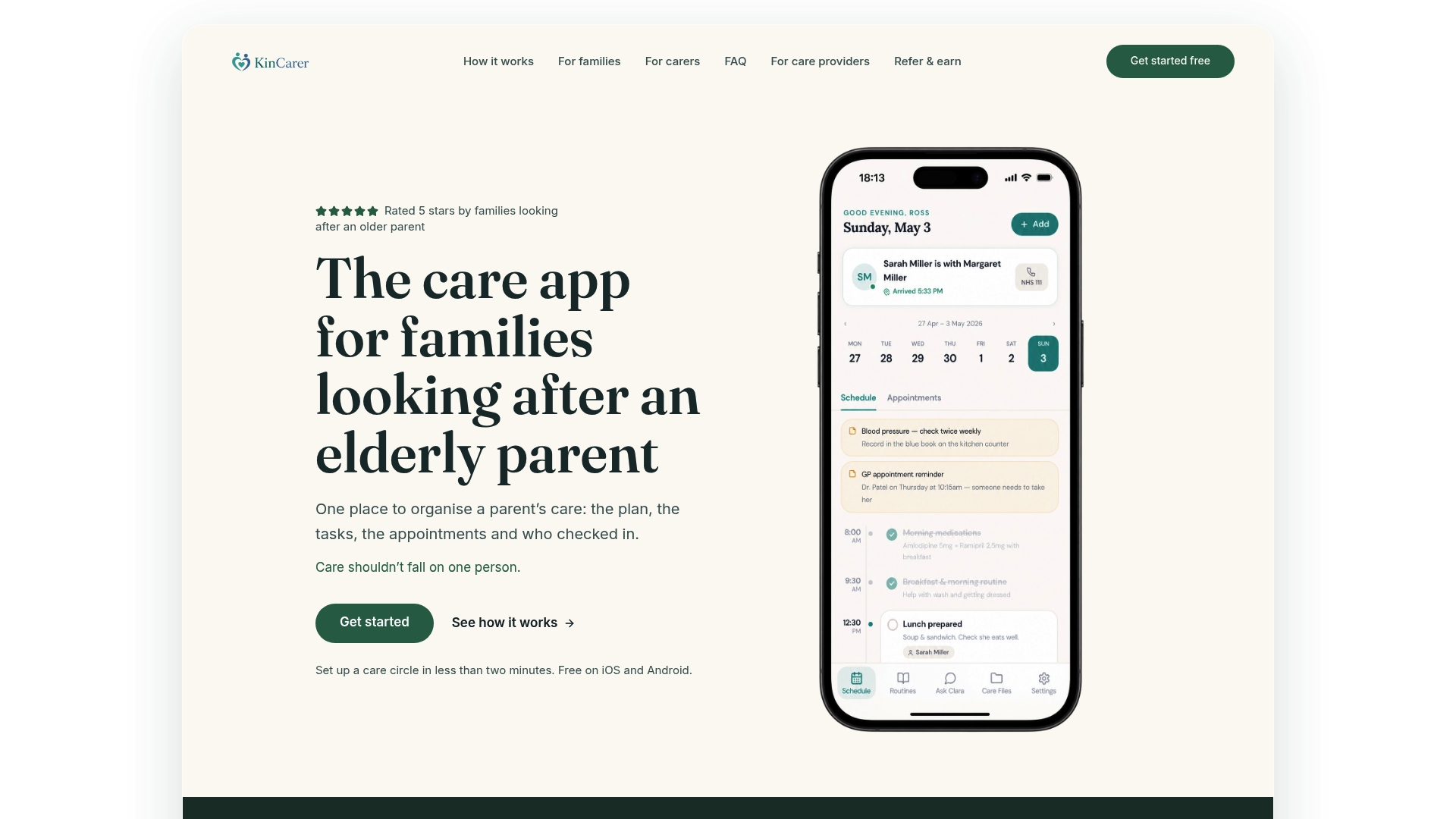
If you’re looking for a straightforward way to keep everyone in the family on the same page about prescriptions, appointments and daily tasks, that’s exactly what we built KinCarer for. It’s not a replacement for the NHS App or your GP’s systems, it works alongside them to stop the organising from falling on one person.
Inside a shared care circle, families get:
- Medication reminders and a shared schedule everyone can see.
- Task and appointment tracking, so collections and reviews don’t get missed.
- Handover notes for when another relative or paid carer steps in.
- Clara, our AI assistant, to summarise what’s happening across the care circle.
KinCarer starts with a 14-day free trial, then Family+ monthly or yearly, and one subscription covers everyone you invite. Visit KinCarer to see how it fits into your family’s routine.
FAQ
What are the steps in filling a prescription?
A GP issues the prescription electronically, which is sent to your nominated pharmacy once approved. The pharmacy then prepares the medicines, a process that usually takes a few working days, before they’re ready for collection or delivery.
How long does it take to change pharmacy?
Changing your nominated pharmacy can usually be done instantly through the NHS App or by asking your new pharmacy to update it for you. Bear in mind that some online-only pharmacies cannot be nominated through the app, so check with the pharmacy first if you’re considering one.
How to manage multiple prescriptions?
Keeping one shared, up-to-date medication list makes multiple prescriptions far easier to track, especially when more than one person helps with ordering. Checking whether any items qualify for electronic repeat dispensing also reduces how often you need to reorder each one individually.
What should I do if my mum’s repeat prescription request is rejected?
Check the stated reason first, it’s often because a medication review is due or the item isn’t currently on the repeat list. Contact the GP surgery to resolve this rather than resubmitting the same request, which can cause delays.
Can I order prescriptions for someone else?
Yes, once you have NHS proxy access approved by their GP practice, you can request and track their repeat prescriptions using your own login. This keeps the process secure without needing to share their personal account details.
Sources
- How to order a repeat prescription - NHS
- Electronic repeat dispensing (eRD) - NHSBSA
- Prescriptions in the NHS App - NHS Digital