
Protect family privacy: TimeTree alternatives with two way sync
Compare TimeTree alternatives that protect family privacy and offer two way sync plus ICS export. Follow simple migration steps and quick trial tips.
By The KinCarer team ·
If you’re looking for TimeTree alternatives, KinCarer, Google Calendar and Cozi Family Organizer are the strongest places to start, and each solves a different problem. KinCarer suits families coordinating care for an elderly relative, Google Calendar gives you a no-frills shared calendar, and Cozi adds chores and meal planning. The right pick depends on how much privacy, syncing reliability and family-specific structure your household actually needs.
TL;DR:
- KinCarer is tailored for families coordinating care for elderly relatives, combining scheduling, medication reminders, and task management in one app.
- Google Calendar offers reliable, simple two-way sync with native integration across devices, making it ideal for households already in the Google ecosystem.
- Cozi Family Organizer integrates shared calendars with chores, shopping lists, and meal planning, suitable for families seeking all-in-one management tools.
- Privacy-focused apps like Kinrows and KinCarer prioritize ad-free use and data control, important for users concerned about tracking and third-party data sharing.
- Testing new apps should focus on real event sync, backup options, and privacy policies, running parallel calendars for at least a week before fully switching.
Table of Contents
- Ranking the best TimeTree alternatives for families
- How to pick the right alternative for your household
- Moving your calendar off TimeTree without losing anything
- Why KinCarer fits families coordinating care
- Privacy in family calendars deserves more scrutiny in 2026
- KinCarer as a care-focused alternative worth trying
- Where to check the policies behind this comparison
- Sources
- FAQ
Ranking the best TimeTree alternatives for families
Choosing a replacement calendar comes down to three things: what it does with your data, how reliably it syncs, and whether it fits how your family or care circle actually works. Here’s how the main contenders line up.
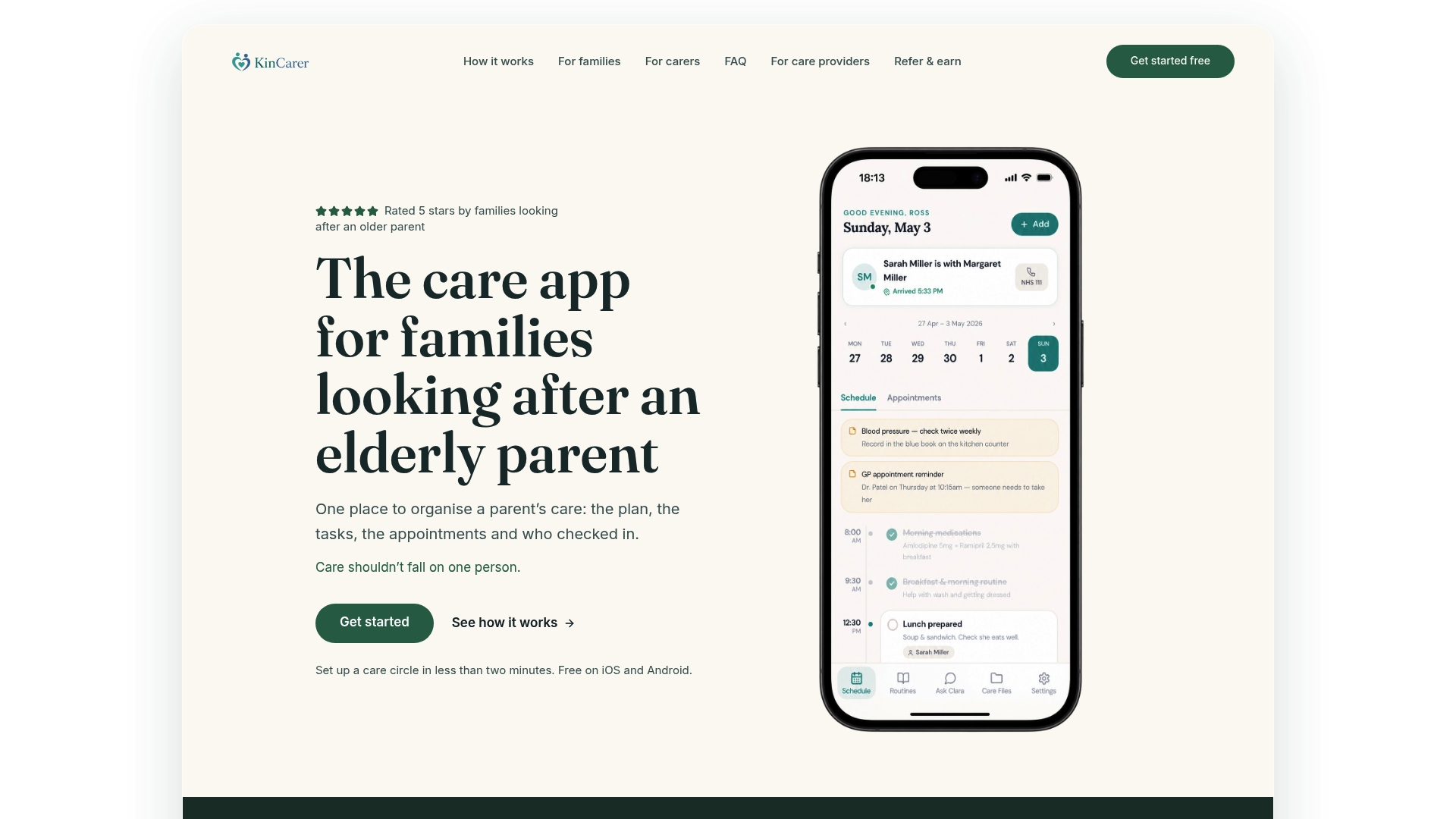
- KinCarer is built specifically for families coordinating care for an elderly parent or relative, with shared care circles, task assignment, appointment tracking and medication reminders. It works on iOS and Android, and its standout is pairing everyday scheduling with Clara, an optional assistant that helps you search and summarise care notes without offering clinical advice. It suits households where “shared calendar” really means “who’s taking mum to her appointment on Thursday”.
- Google Calendar is the calendar most people already have. It runs on iOS, Android, web and desktop, syncs natively across Google accounts, and integrates with dozens of other tools. It has no dedicated family layer such as chores or meal planning, which makes it best for households that want something simple and already live inside the Google ecosystem.
- Cozi Family Organizer has been a family scheduling staple for years, combining a shared calendar with shopping lists, to-do lists and meal planning. It’s available on iOS, Android and web, and its long-standing feature set makes it a solid choice for families who want chores and meals handled in the same app as the calendar.
- FamilyWall takes a more private, social approach, layering a family timeline and group messaging on top of shared calendars and lists. It works across iOS, Android and web, and suits families who want a closed space for photos and updates alongside scheduling, rather than a bare calendar.
- Skylight Calendar focuses on visibility rather than features. It’s built around a clean, easy-to-read calendar view, works across devices, and is best for households where the priority is simply seeing what’s happening at a glance, particularly useful if an older relative struggles with cluttered apps.
- Kinrows has emerged in recent alternative roundups with an explicitly privacy-forward stance, positioning itself as an ad-free shared calendar for people who specifically want to avoid ad-supported tracking. It’s a fit for users who rank privacy above extra features.
- Plannie bundles a shared calendar with chores and meal planning under a household plan subscription, with two-way sync as part of the offer. It suits households that want integrated chores and meals without piecing together separate apps.
- MyListResort appears in comparison pieces as a curated take on calendar and list management, aimed at households that want a more editorial, pre-organised approach rather than a blank calendar to configure themselves.
How to pick the right alternative for your household
Testing a new calendar app takes ten minutes if you know what to check. Work through these steps before you commit a whole family or care circle to a switch.
- Check the ad and privacy policy first. Look for an explicit statement on whether the app shows ads, uses third-party ad networks, or shares activity data, since ad-supported calendars often rely on third-party ad networks and analytics tools that are worth reading closely.
- Confirm real two-way sync. An app should sync via OAuth with Google or Outlook so an event added in the new app appears on everyone’s native calendar automatically, not just on import.
- Test backup and export. Make sure you can export to ICS or pull a cloud backup, so you’re never locked into one app’s format.
- Try the invite flow on an older relative’s phone. Invite-by-link and simple permission screens matter more than any other feature if an ageing parent will be using the app day to day.
- Run a one-week trial with your actual household before deleting anything from your old calendar.
Pro Tip: Add one real appointment and one recurring event during your trial. Those two entries usually expose sync problems that a single test event never will.
Moving your calendar off TimeTree without losing anything
Calendar entries and dates usually export cleanly, but comments, attached photos and in-app chat threads often don’t move automatically and need manual copying beforehand.
- Export what you can first: an ICS file or built-in backup covers events and recurring appointments.
- Invite every household or care circle member to the new app before you stop using the old one.
- Add a few real events and confirm two-way sync works for everyone, not just the person who set it up.
- Run both calendars in parallel for at least a week, since keeping the old calendar live while every invited member confirms they see new events reveals one-way imports or sync gaps quickly.
- Screenshot or download anything sentimental, like photo timelines or chat history, before switching off the old account, and check the new app’s privacy settings once everyone’s moved in.
Why KinCarer fits families coordinating care
KinCarer was built for the specific job of coordinating care for an elderly parent or relative, not general household scheduling. A shared care circle holds tasks, appointment tracking, medication reminders and handover notes in one place, so nothing depends on one person remembering to update a group chat. Clara, the optional AI assistant, helps you search and summarise what’s already in the circle, but it doesn’t give medical or clinical advice. Permissions and invite flows are built around bringing relatives and paid carers into the same shared view.

Privacy in family calendars deserves more scrutiny in 2026
Ad-free doesn’t automatically mean private, and privacy doesn’t automatically mean the sync works. During any trial, check the ad disclosure, the data-sharing terms and whether export actually produces a usable file. A calendar that ticks all three, not just the one you noticed first, is the one worth keeping.
— KinCarer
KinCarer as a care-focused alternative worth trying
If your main problem with TimeTree isn’t just ads but the fact that a general calendar was never built for caring, KinCarer is worth a look. It’s designed around the practical reality of looking after an ageing parent: shared care circles, appointment tracking and medication reminders sit alongside the calendar rather than being bolted on separately.
- Families can start the 14-day free trial from KinCarer for families, with Family+ options for larger circles or care organisations accessible through KinCarer for organisations.
- Clara is entirely optional and never replaces medical or legal advice.
- Setup takes a shared invite link, so relatives and any paid carers involved can join the same circle without technical hurdles.
Visit the KinCarer homepage to see how the app works before inviting your family in.
Where to check the policies behind this comparison

For ad and privacy disclosures, see TimeTree’s ad and analytics policy and SimpliHome’s feature and pricing pages.
FAQ
Which is better, Cozi or TimeTree?
Cozi and TimeTree both offer shared family calendars, but Cozi adds built-in shopping lists, to-do lists and meal planning that TimeTree doesn’t. If ads or data use concern you, it’s worth checking TimeTree’s own ad disclosure directly, since third-party ad networks are involved.
Is TimeTree or Google Calendar better?
Google Calendar offers simpler, more reliable two-way sync across devices and integrates directly with other Google services, while TimeTree adds more family-specific extras like shared albums. For households that just want a dependable shared calendar without extra layers, Google Calendar is the more straightforward option.
What is the best free shareable calendar app?
Google Calendar remains a strong free option thanks to its cross-platform sync and wide compatibility with other tools. Some family organisers, including SimpliHome, also offer free tiers with shared calendar and basic features, with paid tiers unlocking meal planning and extra reminders.
What is the best free calendar app for 2026?
There isn’t one single “best” free calendar for every household. Families wanting a simple shared calendar tend to do well with Google Calendar, while those coordinating care for an elderly relative may prefer a purpose-built option like KinCarer, which starts with a 14-day free trial, then Family+ monthly or yearly.
What should I check before switching calendar apps?
Confirm the new app offers genuine two-way sync via OAuth, a clear ad and privacy policy, and an export option such as ICS or cloud backup. Testing these three things with a real event during a trial week will reveal most problems before you commit your whole household.