Stop missed meds: KinCarer, Cozi alternatives for UK family carers
Swap Cozi for a purpose built care app. Learn why KinCarer (with optional AI Clara) fits UK family carers and how to set up in under an hour.
By The KinCarer team ·
The best Cozi alternative for coordinating an elderly parent’s care is a purpose-built care-planning app with shared care circles, not a general family organiser. Tools like Cozi were built for school runs and shopping lists, not medication logs and carer handovers. KinCarer is built for exactly that job, giving families one shared, permission-controlled record of tasks, appointments, medicines and updates instead of scattered messages and sticky notes.
TL;DR:
- Purpose-built care apps like KinCarer are essential for medication logging, task handovers, and permission control, unlike general family organisers.
- Key features include timestamped task updates, medication history, secure document storage, and role-based permissions for both relatives and paid carers.
- Starting with a small, prioritized setup and testing notifications on all devices ensures quick, effective implementation within an hour.
- Shared, timestamped records help prevent family disputes and reduce repetitive communication by providing a clear, confirmable history of care activities.
- KinCarer offers tailored plans for families and care organizations, with a free trial to evaluate usability and a secure, comprehensive record for eldercare coordination.
Table of Contents
- What are the real alternatives to Cozi for family caring?
- How do you choose the right approach for your family?
- What features should a proper care-planning app include?
- Why KinCarer is a suitable choice for families coordinating eldercare
- How do you get set up in under an hour?
- Why central records reduce family friction
- Try KinCarer for your family’s care circle
- Sources
- FAQ
What are the real alternatives to Cozi for family caring?
Once you’re coordinating actual care rather than a school run, four broad approaches cover almost every family’s situation.
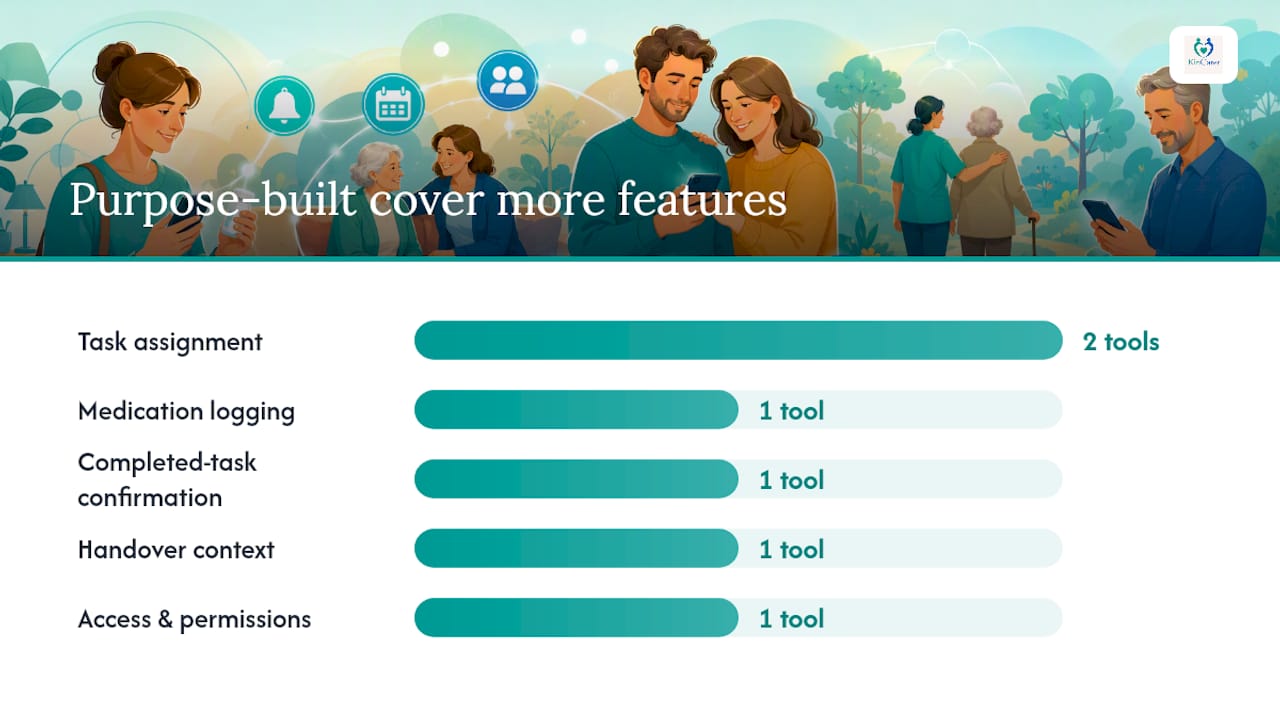
Purpose-built care-planning apps are designed around the specific mechanics of caring: task assignment, medication logging, handover notes and permission tiers for relatives and paid carers. They tend to suit families managing multiple daily tasks, several contributors, or any medication regime worth tracking properly.
Shared calendar and messaging bundles (the Cozi-style tools) handle simple scheduling well enough. What they typically lack is any structured way to log a dose given, confirm a task was actually completed, or hand over context between shifts. Fine for coordinating who’s dropping round on Sunday; weak for anything with a safety dimension.
Care coordination services or care managers bring in a paid, external coordinator who takes on the administrative load. This suits families with high care intensity, several agencies involved, or simply no capacity left to run the logistics themselves. Families often combine paid carers with unpaid family support for different tasks, according to NIHR’s discussion paper on attitudes to caring, which found work commitments and distance were the two barriers people expected to face most.
Ad hoc documents and spreadsheets cost nothing and require no new software, which is exactly why so many families start there. The problem shows up later: no timestamps, no notification when something changes, and no clear record of who did what when a dispute arises.
- Purpose-built care apps: best for medication, handovers, multiple contributors
- Calendar/messaging bundles: fine for simple scheduling only
- Care coordination services: best when the family needs an outside hand
- Spreadsheets/documents: cheap, but weak on audit trail and safety
Distance matters here too. If contributors are spread across the country, a shared digital record does more work than a shared spreadsheet nobody remembers to open.
How do you choose the right approach for your family?
Match the tool to the actual shape of the caring job, not the shape you wish it were.
Start with these criteria: how many people need access, how complex the tasks are, whether medication is involved, how many contributors (family and paid carers combined) need visibility, how spread out the family is geographically, how sensitive the documents are, and what you’re prepared to spend. A single-contributor, low-complexity situation might genuinely be fine on paper. Three siblings, two medications and a rotating carer rota is a different problem entirely.
When you’re testing an app or service, run through this checklist:
- Can you set different permission levels for relatives versus paid carers?
- Is every update timestamped, so you can see who did what and when?
- Does it log medication doses, not just remind you to give them?
- How long does onboarding actually take for a less tech-confident relative?
- Are notifications reliable, or do updates get missed on some devices?
Watch for red flags: no timestamped handover notes, one person locked in as the sole administrator, or a mobile experience that clearly wasn’t designed with an older relative in mind.
Pro Tip: Test the app with the family member least comfortable with technology before you commit. If they can’t manage a reminder or a check-in within five minutes, the whole circle will end up relying on one overstretched person to translate for everyone else.
What features should a proper care-planning app include?
Strip away the marketing and a genuinely useful care-planning app comes down to a short list of concrete features.
- Shared care circles with role-based permissions — simple invite flows so relatives and paid carers join the same record without a lengthy setup
- Task assignment and handover notes — who did what, timestamped, so nothing gets repeated or missed at shift change
- Medication reminders, dose logging and history — not just a nudge to give the tablets, but a visible record that they were actually given
- Appointment scheduling with calendar sync — GP visits, hospital appointments and check-ins in one place, with alerts that reach everyone who needs them
- Document storage — care plans, legal paperwork, GP details, stored somewhere more secure than a phone photo album, with export when you need it
- Activity feed and audit trail — a running record you can look back on, archive or export if a dispute or a professional review ever requires it
- Simple onboarding across devices — an invite, a short demo, a first task, working the same on iPhone and Android
If a tool is missing more than one or two of these, it’s a calendar app wearing a care-coordination costume.
Why KinCarer is a suitable choice for families coordinating eldercare
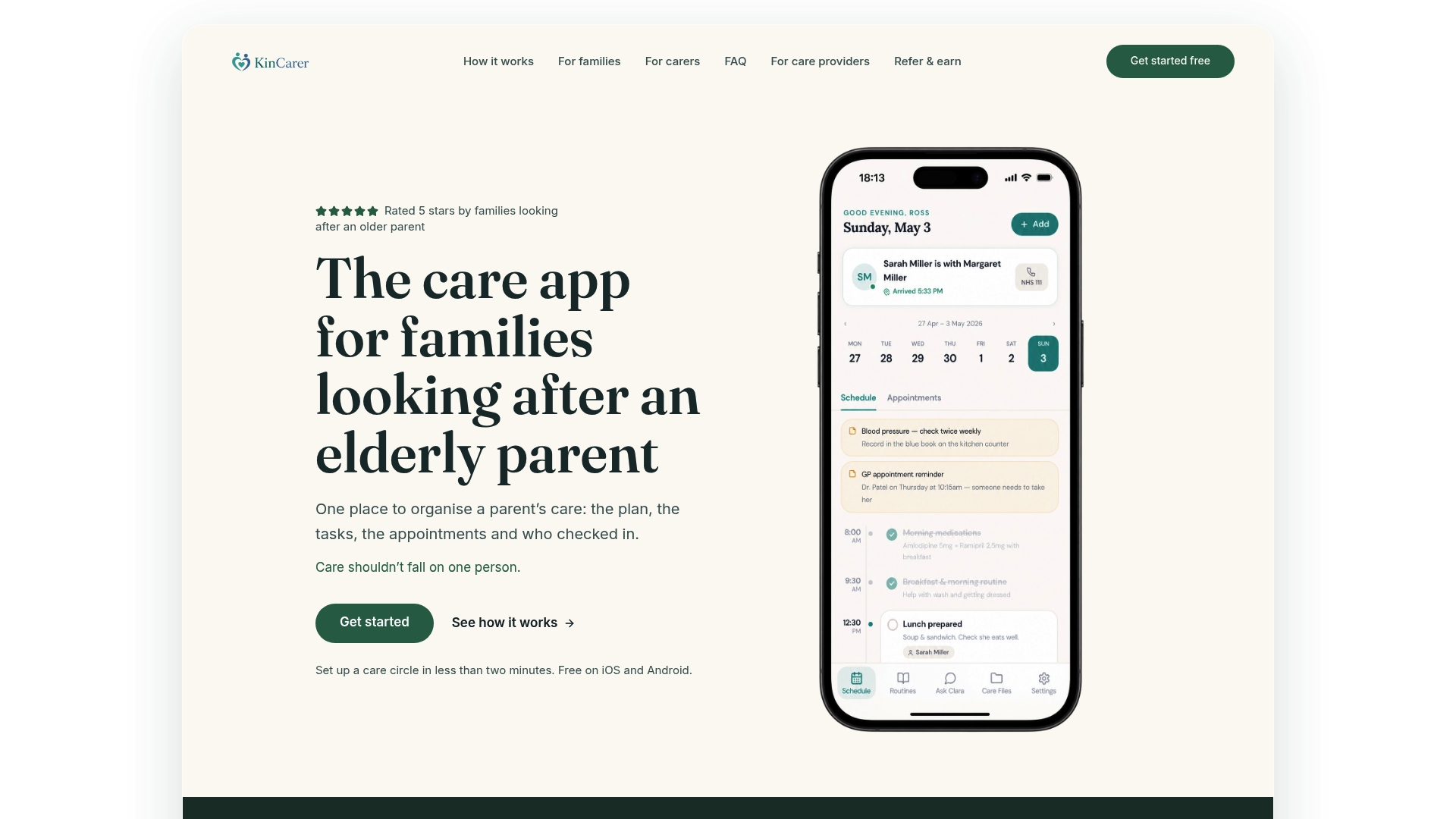
KinCarer was built directly against that checklist, not adapted from a general planning app. It gives families a shared care circle where relatives and paid carers can be invited in with controlled permissions, then centralises tasks, appointments, medication reminders, check-ins and handover notes so nobody is working from a half-picture, according to KinCarer’s own product description.
- Shared care circles with permission tiers for relatives and paid carers
- Task and appointment tracking with clear ownership
- Medication reminders and a logged history rather than a one-off nudge
- Timestamped handover notes for shift changes and family updates
- Document storage for care plans, legal papers and GP details
- Clara, an optional AI assistant that searches and summarises what’s already in the circle, without giving medical, legal or clinical advice
The practical gain is fewer buried WhatsApp threads and fewer repeated phone calls asking “did anyone give mum her tablets yet?” One shared, timestamped record does the job that used to fall on whichever sibling happened to answer the phone first. Families exploring KinCarer can start with the 14-day free trial or, for care organisations weighing sponsored access, the organisations page.
How do you get set up in under an hour?
Getting real value from a care-planning app on day one comes down to setting up a small, working core rather than trying to migrate everything at once.
- Invite the core circle first and set permissions before adding anything else
- Create the highest-priority tasks (medication, key appointments, daily check-ins) and assign an owner to each
- Add emergency contacts, GP details and store the essential documents
- Agree a simple handover routine and hold a short family meeting to confirm it
- Test notifications on every device before you rely on them
Pro Tip: Don’t try to log every past appointment and document on day one. Start with what’s needed this week; the rest can go in once the habit of using the circle has actually formed.
Why central records reduce family friction
Sibling disagreements over caring rarely start with the caring itself. They start with different versions of the facts, one sibling working from a phone call three weeks old, another from a conversation nobody else heard. A shared, timestamped record turns arguments about who’s right into agreement about what’s actually happening, which is a far easier conversation to have.
Routine transparency also cuts the hidden labour of repeated status calls. When something is genuinely contentious, bring in a neutral facilitator for the family meeting rather than letting old sibling dynamics run the room.
— KinCarer
Try KinCarer for your family’s care circle
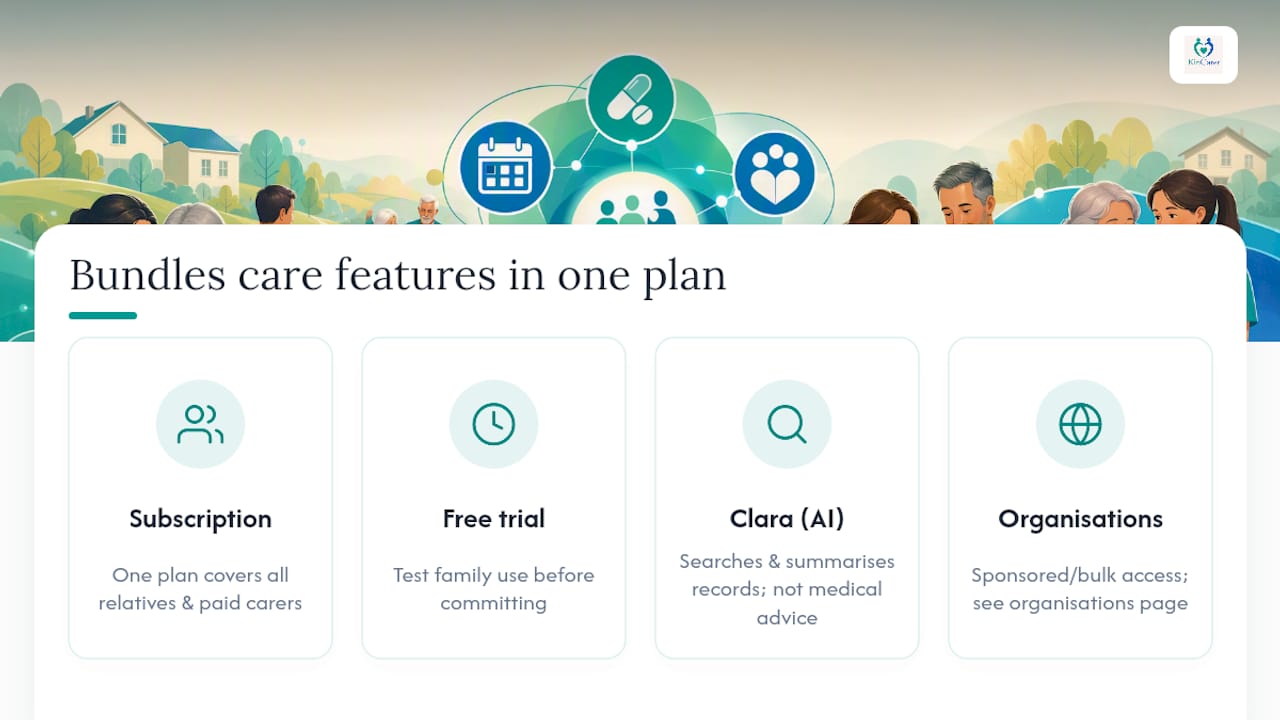
KinCarer is the direct alternative to general organisers like Cozi for families who need medication logging, handovers and shared documents, not just a shared calendar. Every feature from the checklist above (care circles, task ownership, medication history, timestamped handovers, document storage) sits inside one subscription that covers every relative and paid carer you invite.
A free trial gives you room to test whether the whole family will actually use it before committing. Clara, the optional AI assistant, can be switched on to help you search and summarise what’s in the circle. It’s worth being clear that Clara doesn’t give medical, legal or clinical advice; it simply helps you find and understand what’s already been recorded.
Families ready to set up their first care circle can start from the KinCarer family page, where current pricing details are available. Charities, GP practices or other care organisations exploring sponsored or bulk access can find tailored options on the organisations page, with pricing details published there.
Sources
For more on carers’ rights, funding and the emotional side of caring, see NIHR’s discussion paper, BBC News on the hidden toll of caring, and PrimeCarers’ guidance on caring challenges.
- Attitudes to caring (discussion paper) — NIHR
FAQ
Is KinCarer a good Cozi alternative for eldercare?
Yes, for families coordinating an elderly parent’s care rather than general household scheduling. KinCarer adds medication logging, handover notes, document storage and role-based permissions for paid carers, none of which sit inside a general family organiser like Cozi.
What should a family care-planning app include at minimum?
Look for shared care circles with permissions, task assignment with timestamps, medication reminders with a logged history, and appointment tracking with alerts. A tool missing more than one of these will likely push work back onto a single family member.
How much does KinCarer cost?
KinCarer starts with a 14-day free trial, then Family+ is available monthly or yearly. Organisations can buy Family+ for the families they support, with prices on the organisations page.
Can paid carers join the same app as family members?
Yes, most purpose-built care-planning apps, including KinCarer, allow paid carers to be invited into the same shared circle with controlled permissions. This lets them see and update relevant tasks without exposing sensitive documents unnecessarily.
Does the AI assistant give medical advice?
No. KinCarer’s optional assistant, Clara, helps families search and summarise information already stored in their care circle, but it does not provide medical, legal or clinical advice.