UK Family Carers: Test Daily Check In Apps in 7 Days With NHS Rules
UK family carers: adopt daily check in apps in 7 days. Includes NHS friendly consent checklist and a five line daily summary template.
By The KinCarer team ·
Use a family care-planning app with shared daily check-ins rather than a single-user safety alert app: something that lets relatives log tasks, medication and handover notes in one place. KinCarer is a directly relevant option built for exactly this job, and its 14-day free trial makes a week-long test low-risk. Before sharing any clinical information, confirm consent and check NHS proxy access rules first.
TL;DR:
- Shared family care-planning apps with task tracking, medication reminders, and permissions are more effective than chat groups for daily updates.
- Keeping entries under two sentences, logging at the same time daily, and linking flags to specific individuals boosts routine adherence.
- Setting up a care circle with clear roles, consistent check-in times, and routine task owners helps families establish reliable care routines quickly.
- Consent should be specific, documented, and based on relevant information sharing, especially when the cared-for person lacks capacity.
- Running a seven-day trial with a small group and tracking engagement levels ensures the chosen app improves clarity and reduces missed tasks.
Table of Contents
- What daily check-in features actually matter to family carers
- How to set up a shared care circle and start daily check-ins
- Consent, privacy and information sharing: practical rules families should follow
- Designing a reliable daily check-in and handover: a short template to reuse
- Quick evaluation checklist: how to choose the right daily check-in app for your family
- KinCarer perspective: why structured daily check-ins succeed or fail in families
- Why KinCarer is a practical place to start for families who want shared daily check-ins
- Sources
- FAQ
What daily check-in features actually matter to family carers
Most families start with a WhatsApp group. It works for a fortnight, then someone forgets whether Mum took her tablets on Tuesday, and three people ask the same question in three different threads. A proper daily check-in app fixes this by giving every update a fixed place to live and a clear owner.
The features that actually earn their place in daily use are narrower than most app store listings suggest:
- A daily summary view showing what happened today at a glance
- Task assignment with visible status (not started, done, overdue)
- Medication reminders paired with a simple confirmation log
- Short handover notes for anyone taking over the next shift or visit
- A timestamped activity log so nothing gets argued about later
- Photo or document attachments for things like GP letters or prescriptions
- Basic roles and permissions, so a paid carer sees only what they need
- Two-way notes so a home care agency worker can flag something back to the family
Each of these solves a specific failure mode. Task status stops the “I thought you were doing that” conversation. The timestamped log means nobody has to rely on memory when a district nurse asks what happened over the weekend. Research into care coordination in the UK found that a single shared record reduces missed appointments and helps families navigate services more confidently, which is the whole point of doing this digitally rather than by memory.
Three realistic entries show the pattern: “9am: breakfast eaten, blood pressure tablets given, no issues.” “2pm: GP called about hip pain, referral requested, follow up Thursday.” “7pm: quiet evening, slightly more confused than usual, mention to district nurse.”
Pro Tip: Keep entries under two sentences. A check-in that takes thirty seconds to write gets written every day; one that takes five minutes gets skipped by week two.
How to set up a shared care circle and start daily check-ins
Getting a family from “we should really organise this” to a working routine takes a few days, not a project plan.
- Create a care circle and name it clearly, so everyone recognises it in their notifications.
- Add contacts and define roles. Decide who joins as family and who as a paid carer, and whether paid carers should see fewer documents, photos and contacts.
- Set a daily check-in time and cadence. Morning and evening works for most families; once a day is often enough if handovers are consistent.
- Assign owners for routine tasks like prescription collection, GP calls, and weekly shopping, so nothing defaults to whoever happens to notice first.
- Add medication reminders and attach key documents, including care plans, GP letters, and emergency contact details.
Onboarding relatives is usually quick. Paid carers need a short walkthrough and confirmation their device works with the app, since not every care worker uses the same phone as the family. Run a seven-day trial and track three things: how often people actually update it, whether tasks get missed, and whether handovers feel clearer than before. If those three numbers improve inside a week, the habit will likely stick.
Consent, privacy and information sharing: practical rules families should follow
Sharing an elderly parent health information feels obvious to families until someone asks who actually agreed to it. NHS England’s guidance on information sharing sets out the working principle: share only what’s relevant to the person’s care, check whether they have raised any objection, and keep a record of what was shared and with whom. That applies to family carers just as much as to professionals, even though nobody hands you a rulebook when you become one.
The NHS App’s family and carer access (sometimes called proxy access) lets an eligible relative act on someone else’s behalf, but only after verification, and pilot schemes have generally required both people to be registered at the same GP practice. That constraint exists for a reason: it stops the wrong person gaining access to someone else’s prescriptions or results, so treat any request for identity checks as a safeguard rather than a bureaucratic obstacle.
A short “share plan” avoids most disputes before they start:
- What we share: which updates, documents or medication details are visible
- Who sees it: which relatives and which paid carers, and at what permission level
- How long it’s kept: whether records are reviewed or archived after a set period
Where the cared-for person lacks capacity to agree, information can still be shared, but only what’s necessary and in their best interests, according to NHS continuing healthcare guidance on consent. Document that decision the same way you would document any other care choice.
Designing a reliable daily check-in and handover: a short template to reuse
Families using structured digital updates report noticeably higher confidence in the care their relative receives, according to Care England’s research with Log my Care, largely because predictable daily summaries replace guesswork with something checkable. The format matters more than the tool.
A five-line template covers almost every situation:
- Today: what happened, in one sentence
- Done: tasks completed
- Outstanding: tasks still open
- Concerns: anything worth flagging, however small
- Next: who’s covering the next shift or visit, and when
An example entry: “Today: quiet day, slept most of the afternoon. Done: lunch, tablets, short walk. Outstanding: repeat prescription needs collecting. Concerns: appetite lower than usual. Next: Sarah tomorrow morning.”
Tie every outstanding item to a named owner. An observation with nobody attached to it tends to get read and forgotten, so make “no action assigned” itself a visible state rather than a silent gap. Agree a minimal evening handover: whoever was last with your parent writes the five lines before they log off, and the next person reads it before they arrive.
Pro Tip: If two consecutive check-ins flag the same concern with no action taken, treat that as an automatic prompt to escalate, not a coincidence.
Quick evaluation checklist: how to choose the right daily check-in app for your family
Before committing to anything, run it through a short checklist rather than judging on app store screenshots alone.
- Can you invite relatives and a paid carer, and assign different roles to each?
- Does it show a daily summary at a glance, without scrolling through a chat history?
- Can tasks be assigned to a named person with visible status?
- Does it support medication reminders and a simple confirmation log?
- Are there consent or permission controls for what paid carers can see?
- Does it work on the devices your family and carers actually use?
- Is there support or a short training resource, and a genuine free trial or free tier?
Run the test for seven days with two or three family members before deciding. Track whether check-ins are logged daily, whether anything gets missed, and whether handovers feel clearer than they did on WhatsApp.
One warning worth repeating: single-user “I’m OK” safety check-in apps, the kind that alert a contact if someone living alone misses a daily tap, solve a different problem entirely. They are not built for shared task tracking, medication logging or multi-person handovers, and using one for family care coordination will leave you back where you started within a fortnight.
KinCarer perspective: why structured daily check-ins succeed or fail in families
Coordinating care through chat apps concentrates knowledge in whoever happens to be typing that day. Everyone else is left scrolling for context nobody has time to find. Structured check-ins fail for the same reason plans fail generally: too much detail, no fixed time, no clear owner for what happens next.
What works is boring by design. Keep entries short. Log at the same time each day. Tie every flag to a person, not just a fact. And revisit your family’s sharing preferences occasionally, because what your parent agreed to share last year may not be what they want shared today.
— KinCarer
Why KinCarer is a practical place to start for families who want shared daily check-ins
Some apps provide features such as shared care circles for relatives and paid carers, task assignment with visible status, medication reminders, handover notes, and cloud storage for documents like GP letters or care plans. Certain apps also include optional AI assistants that search and summarise what is already logged, without offering medical, legal or clinical advice.
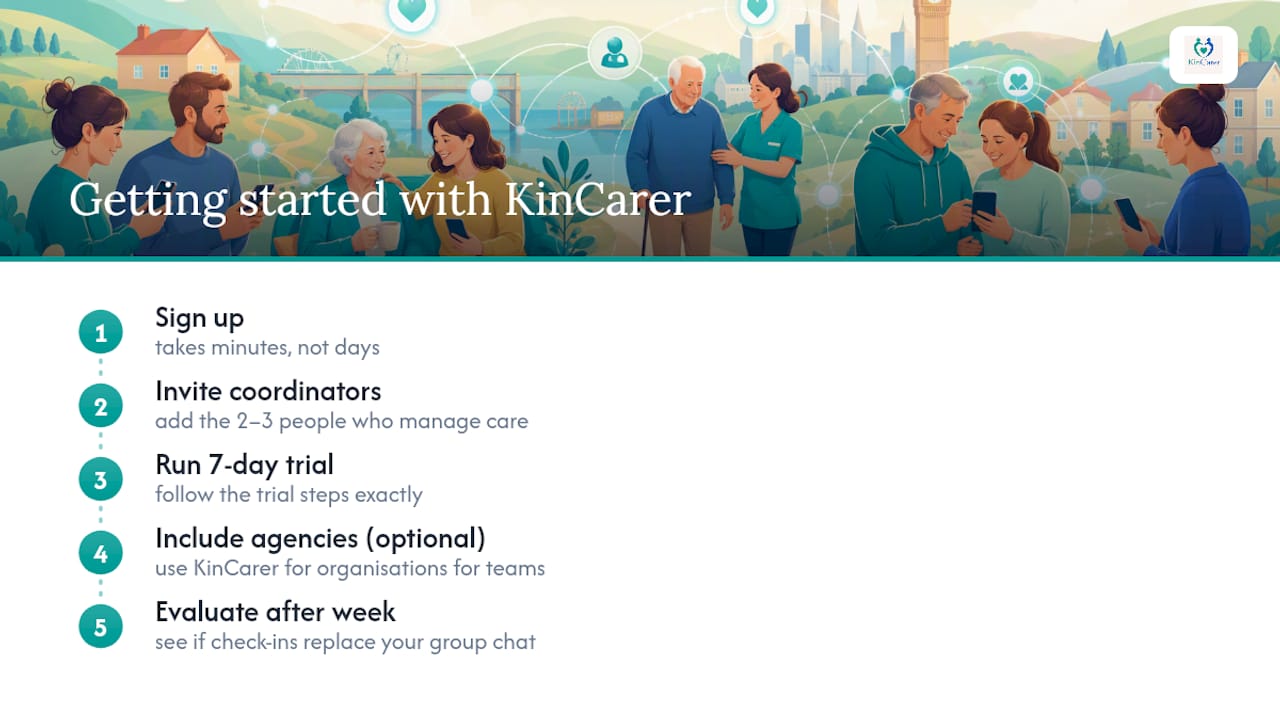
Getting started takes minutes rather than days. Sign up, invite the two or three people who do most of the day-to-day coordinating, and run a seven-day trial exactly as described above. If your family works alongside a home care agency or a wider care team, the KinCarer for organisations option is worth a look for shared deployment. For most families, though, the starting point is simpler: visit the KinCarer family app page, set up your care circle, and see whether daily check-ins replace your group chat within the week.
Sources
- Family and carer access in the NHS App (proxy access) - NHS England Digital
- Care England launches report on family confidence in care (Log my Care partnership)
- Giving your consent for sharing information - NHS continuing healthcare guidance
FAQ
What is the best type of app for daily family care check-ins?
A family care-planning app with a shared care circle, task tracking and medication reminders works better than a general chat app or a single-user safety check-in app, since it links updates to actions rather than just messages.
How do I set up carer reminders for medication?
Add medication details when you build the care circle, set a reminder time and cadence, and require a simple confirmation log so anyone checking later can see whether it was taken.
Can paid carers and family members use the same app?
Yes, most family care-planning apps, including KinCarer, support different roles and permissions so a home care agency worker sees relevant information without accessing everything the family does.
Do I need consent before sharing my parent’s health information in an app?
Generally yes: NHS guidance recommends sharing only what’s relevant, checking for objections, and recording what was shared, though where someone lacks capacity, information can be shared in their best interests with only necessary details included, per NHS continuing healthcare guidance.
How is a daily check-in app different from the NHS App’s family access feature?
The NHS App’s family and carer access lets a verified relative act on someone’s behalf for NHS services like prescriptions, while a daily check-in app such as KinCarer covers the everyday coordination between family members and carers that the NHS App doesn’t handle, like tasks, handovers and notes.