Switch in Minutes: Private CaringBridge Alternatives for UK Carers
Find private CaringBridge alternatives for UK carers. No login updates, care coordination apps and patient held record options you can start using in minutes.
By The KinCarer team ·
For families who need shared care planning rather than a broadcast update page, KinCarer is the strongest CaringBridge alternative, because it combines shared care circles, task assignment and reminders with simple, invite-only privacy controls. If your priority is patient-held clinical records, look at Patiento or Sequela instead, and if you only want a quiet update page, a link-based tool, like UpdatesOn, will suit you better.
TL;DR:
- KinCarer offers shared care planning with role-based access, task assignment, and reminders, making it suitable for ongoing family coordination.
- Update-only pages are quick to set up and easy for elderly relatives but do not facilitate practical support organization.
- Privacy controls vary from invite-only access to public links, and families should verify privacy policies before sharing sensitive medical information.
- Combining clinical record apps with simple update feeds provides a comprehensive approach, with KinCarer filling the care planning gap.
- Start small by inviting key relatives and testing privacy settings to ensure the platform suits your family’s needs before expanding use.
Table of Contents
- What are the best CaringBridge alternatives at a glance?
- How do privacy, donations and coordination features differ?
- How do you choose the right CaringBridge alternative?
- Patient-held records versus community update platforms
- How does KinCarer cover care planning in practice?
- A short word on picking one and starting small
- Try KinCarer for shared family care planning
- Sources
- FAQ
What are the best CaringBridge alternatives at a glance?
Not every family needs the same thing. Some want one page where relatives can read updates without creating an account. Others need a rota of meals and lifts sorted for the next six weeks. And some need a way to hand a consultant a clean summary of Mum’s medications without hunting through a WhatsApp thread. These are three different jobs, and no single CaringBridge alternative does all three equally well.
The table below groups the main categories: shared care planning tools like KinCarer, plain update pages, coordination platforms built around meals and volunteers, and patient-held record apps.
| Dimension | KinCarer | Update-only pages | Coordination platforms | Patient-held record apps |
|---|---|---|---|---|
| Best for | Ongoing shared care planning across a family | Quiet, low-effort updates to supporters | Organising meals, lifts and errands during a crisis | Clinical summaries for appointments |
| Core features | Care circles, tasks, appointments, reminders, handover notes, Clara AI assistant | Journal posts, photos, guestbook comments | Meal calendars, volunteer sign-up sheets, task lists | Symptom logs, medication lists, exportable summaries |
| Privacy controls | Role-based invites for relatives and carers | Link-based, often no reader account needed | Invite-only sign-up sheets, sometimes public links | Patient-controlled sharing, often QR-based |
| Coordination tools | Tasks and reminders shared across the circle | Minimal, mostly a comments section | Strong; built specifically for scheduling help | Not designed for day-to-day task coordination |
| Donation handling | Not a fundraising platform | Occasionally links to third-party fundraising | Family-held donations, no platform cut, per SupportNow | Not applicable |
| UK availability / NHS alignment | Available in the UK | Varies by provider | Varies by provider | Several use NHS-aligned terminology, e.g. Patiento |
| Pricing model | 14-day free trial, then Family+ subscription | Usually free | Usually free | Often subscription, e.g. Sequela |
A few things stand out once you see them side by side.
- Update-only pages are the fastest to set up and the least demanding for elderly relatives who just want to read, but they rarely help with organising practical support.
- Coordination platforms genuinely reduce the load on one family organiser, because meal and volunteer scheduling takes the admin off email and text threads, an effect SupportNow highlights directly.
- Patient-held record apps solve a different problem entirely: they’re built for fifteen minutes with a consultant, not for a family group chat.
- Shared care planning tools like KinCarer sit between these, covering both the update and the task side, though they don’t replace a dedicated clinical record.
How do privacy, donations and coordination features differ?
Privacy is the detail most families overlook until it matters. Some platforms are genuinely invite-only, where every reader needs an account and you control exactly who is added. Others use a link-without-login model, so anyone with the URL can read updates, which is convenient for elderly relatives who won’t create an account but harder to lock down later. A small number default to public visibility unless you actively change the setting, which is worth checking before you post anything about a diagnosis or a hospital stay.
Donations follow a similar split. Some tools keep fundraising strictly family-held, with money going directly to the person needing support rather than through the platform, as Rallee and SupportNow both structure it. Others route donations through third-party tiles or platform accounts, which adds a step before your family sees the money.
- Coordination: meal calendars and volunteer sign-ups turn “does anyone need anything?” into an actual rota, cutting the mental load on whoever’s organising.
- Accessibility: check whether readers need an account, whether the page works on a phone browser without an app, and whether text is large enough for an ageing parent to read comfortably.
- Task visibility: some platforms show who’s done what; others just log a single update feed.
Pro Tip: Before you commit to any platform, send a test link to the relative you expect to struggle most with technology. If they can’t open it in one tap, look elsewhere.
How do you choose the right CaringBridge alternative?
Match the tool to the situation, not the other way round. Short-term recovery from surgery usually needs nothing more than an update page and perhaps a meal rota for a few weeks. Long-term dementia or chronic illness care needs ongoing task coordination, reminders and a shared record of what’s been done, because a single update post gets buried within days. Appointments with specialists need a structured clinical summary, not a journal entry.
Run through these questions before you settle on one:
- Who exactly can see updates, and can you change that after the fact?
- Can you export your data if you switch tools or the situation ends?
- Does anyone need to create an account just to read a message?
- Is there a cost now or later, and does fundraising go to your family or through the platform?
- Who legally owns the data you enter, particularly medical details?
- Does the tool cover the actual coordination work, or only the update feed?
Watch for a few warning signs. If a platform solicits donations for itself alongside your family’s fundraising, that’s worth questioning. An opaque or missing privacy policy is a reason to walk away, not a minor inconvenience. And if there’s no way to export your notes, appointments or medication history, you risk losing months of care history the moment you decide to move on.
Patient-held records versus community update platforms
These two categories solve genuinely different problems, and the confusion between them causes more wasted setup time than almost anything else in this space.
Patient-held record tools like Patiento store structured medical information: conditions, medications, allergies, and often a QR code a clinician can scan on the spot. Patiento builds this around NHS-aligned terminology specifically so it holds up in a UK clinical setting. Sequela takes a similar approach with structured symptom logging that produces a shareable summary, which the platform argues is more useful at an appointment than scrolling through a free-text diary, since a structured PHR with condition-specific fields gives a consultant exactly what they need in seconds rather than minutes.
Update-only platforms do the opposite job well. A quick journal post with a photo and a few comments from relatives is low-effort and genuinely comforting during a hard week, and tools like UpdatesOn are built around exactly that: no reader accounts, one link, minimal friction.
The workflow that actually works for most families uses both.
- Keep clinical details, medication lists and appointment summaries in a dedicated record app or a shared care plan.
- Use a simple update feed for the wider circle of friends and extended family who don’t need medical detail.
- Link the two loosely: mention major updates in the family app, and keep the clinical record as the single source of truth for appointments.
How does KinCarer cover care planning in practice?
KinCarer is built specifically for the coordination side families struggle with most: not a single update post, but ongoing shared planning across a household.
- Shared care circles let you invite relatives and, where relevant, paid carers into one place, with role-based access so everyone sees what they need to.
- Tasks and appointments get assigned to specific people, so “someone should really book that GP call” turns into an actual task with an owner.
- Medication reminders and handover notes keep everyone working from the same information instead of relying on memory or a scattered text thread.
- Clara, the built-in AI assistant, helps families search and summarise what’s in their care circle. Clara doesn’t give medical, legal or clinical advice.
Pro Tip: A typical setup: one sibling creates the circle, invites two others plus the home care agency, then adds the next fortnight’s appointments and a rota for who’s visiting when. That alone stops most missed-update problems.
A short word on picking one and starting small
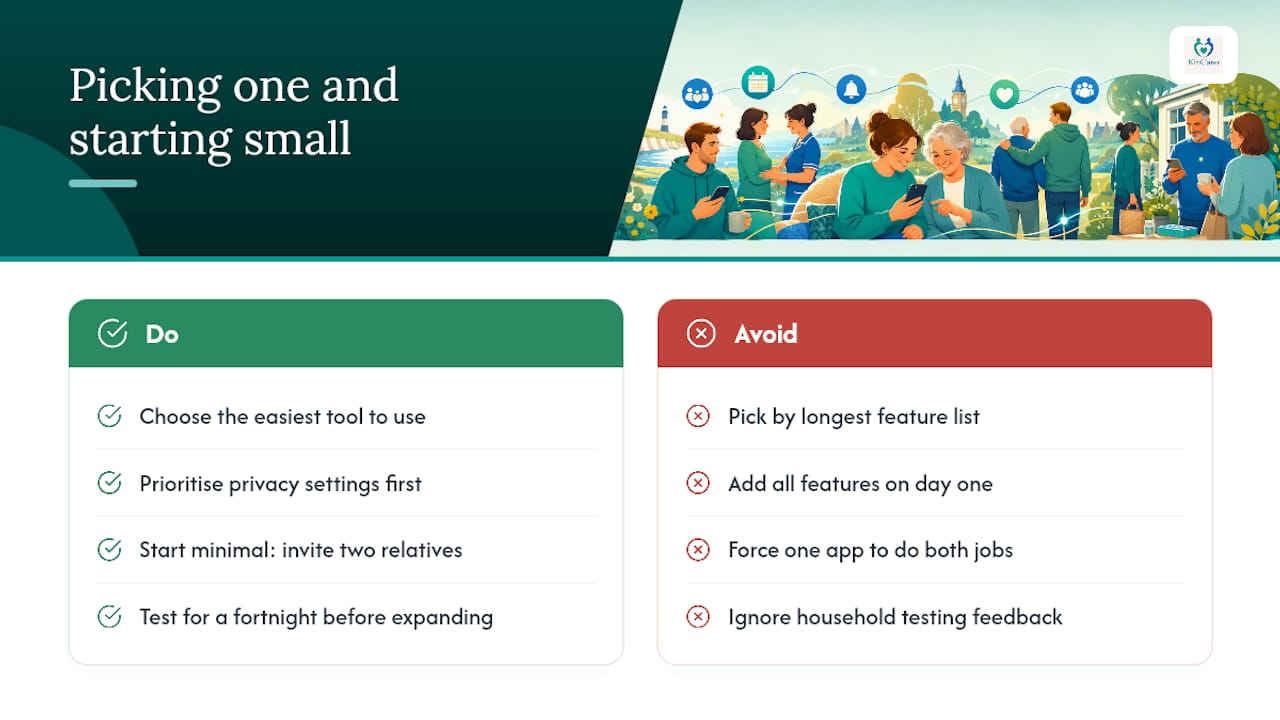
Pick the tool that’s easiest for your family to actually use, not the one with the longest feature list. Privacy settings matter more than most families realise until an update reaches someone it shouldn’t. Start minimal: invite two relatives, set up the essentials, and let the household test it for a fortnight before adding more.
Don’t try to solve everything on day one. Choose one tool for updates and, if you need it, a separate one for clinical records. Trying to force a single app to do both jobs usually means it does neither one well.
— KinCarer
Try KinCarer for shared family care planning
If the comparisons above have made one thing clear, it’s that most families need more than an update page. They need somewhere to assign the GP call, track when Mum’s next appointment is, and make sure the person visiting on Thursday knows what happened on Tuesday. That’s the specific gap KinCarer fills: a shared care circle where tasks, reminders and handover notes live in one place instead of across three different apps and a paper diary.
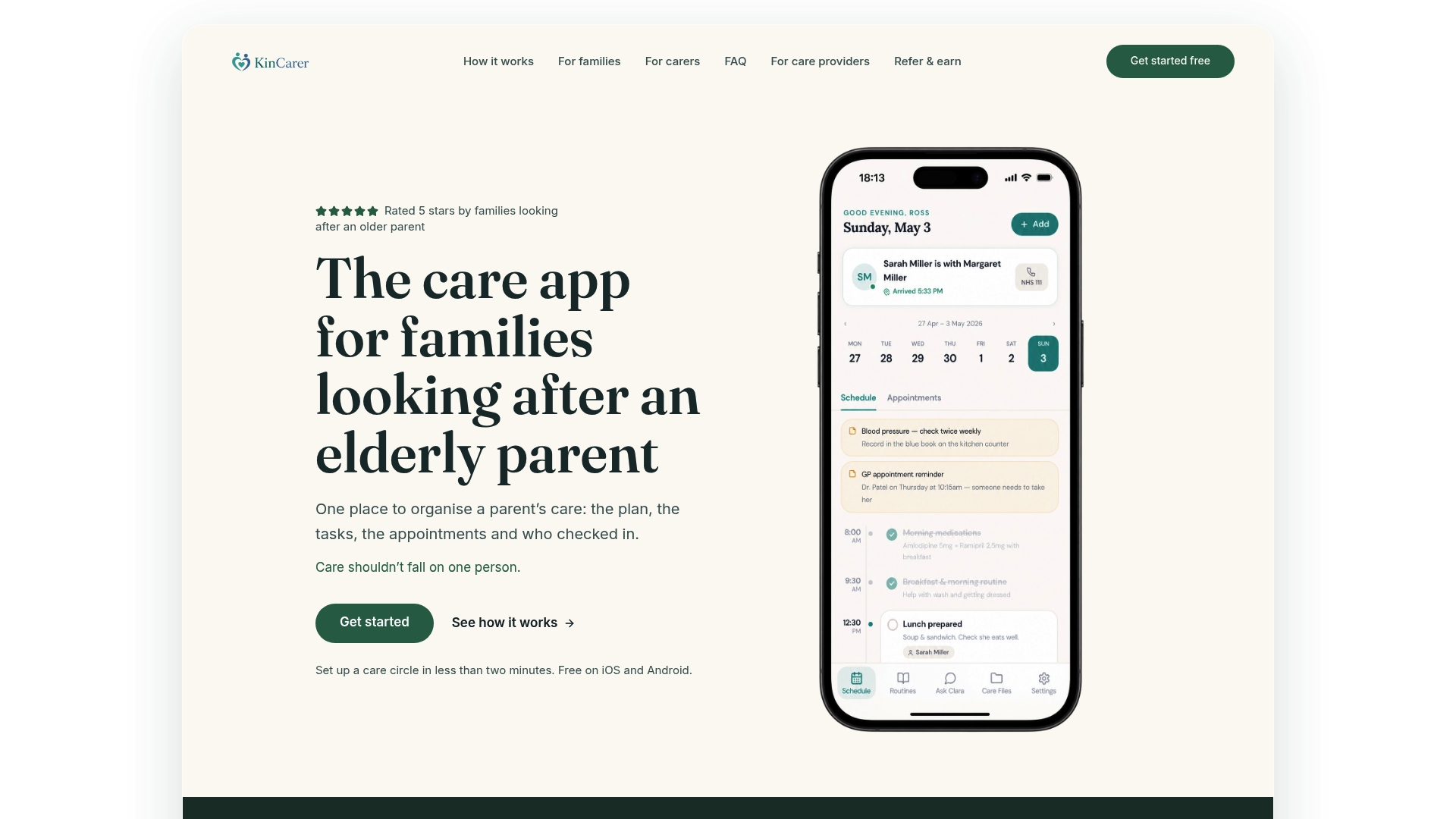
Getting started takes a few minutes: create a care circle, invite the relatives and any home care agency staff involved, then add your first few tasks and appointments. Privacy stays role-based throughout, so you decide exactly who sees what. KinCarer starts with a 14-day free trial, then Family+ monthly or yearly, which you can explore on its website. Head to the KinCarer landing page to set up your first care circle.
Sources
FAQ
What alternatives are there to CaringBridge?
Options span several categories: shared care planning apps like KinCarer, coordination platforms for meals and volunteers such as those referenced by SupportNow, simple update pages like UpdatesOn, and patient-held record tools like Patiento or Sequela for clinical use.
Can people see who visits an update page?
This depends entirely on the platform. Invite-only tools show you exactly who’s joined, while link-without-login pages generally don’t track individual visitors, so check each provider’s own privacy settings before assuming either way.
Is CaringBridge a free app?
CaringBridge is free to use, and several alternatives follow the same model, while shared care planning tools like KinCarer are paid: KinCarer starts with a 14-day free trial, then Family+ monthly or yearly.
How do I view updates without creating an account?
Look for platforms that use link-based sharing rather than mandatory logins. Tools built around this approach, such as UpdatesOn, are designed specifically so relatives can read updates in one tap without registering.