
UK Carers: Best Emergency Contact Apps Mapped to NHS and ICO Guidance
Step by step checklist for UK family carers to build a shared emergency contact plan. Aligned with NHS and ICO guidance and shows KinCarer options.
By The KinCarer team ·
Use a family care planning app that gives you a shared, living care plan, an emergency contacts list, and notification controls. That combination beats a phone full of scattered numbers or a paper list stuck to the fridge. KinCarer is one practical option built around exactly this setup, and whichever app you choose, look for three things: a shared plan everyone can see, permissioned sharing rather than one blanket setting, and real-time notifications when something changes.
TL;DR:
- A shared, role-based care plan with real-time notifications and offline backup is essential to ensure family members and caregivers can act swiftly in emergencies.
- Set up the care circle with clear permission levels, confirm emergency contacts accept their roles, and test printable summaries with one person before relying on the app.
- Keep the plan current by assigning a responsible person, scheduling regular reviews, and informing healthcare providers to prevent outdated information.
- Ensure the app processes data securely, with instant access revocation, role-based permissions, and clear UK data privacy commitments.
- KinCarer maps directly to these best practices, offering a quick setup and role-specific access, making it a practical choice for families and organizations.
Table of Contents
- What makes an emergency contact app reliable for family care?
- How do you set up an emergency contact and contingency plan?
- Is it safe to keep sensitive care data in an app?
- How do you keep the plan current and known to services?
- A carer’s account: what actually helped in a real emergency
- How Kincarer maps to this checklist
- Sources
- FAQ
What makes an emergency contact app reliable for family care?
A reliable app is judged on whether the people around your mum can actually use it under pressure, not on how many features it lists. NHS guidance on carer contingency planning treats a proactive, digital plan as best practice precisely because a static paper list goes out of date and often sits in a drawer nobody can find.
Here’s what to check before you commit to any app:
- A shared care record, not five separate group chats. NHS digital guidance recommends a single shared care and support plan accessible to everyone involved, so a paid carer and a sibling in Australia are working from the same page.
- Emergency contacts with role tags. “GP”, “next of kin”, “keyholder” and “home care agency” should be visible at a glance, with a way to notify the right person in one tap.
- Role-based permissions and consent records. Not everyone needs to see everything; a cleaner or occasional visitor doesn’t need medication details.
- Notifications, handover notes and timestamps. If someone updates a dosage or logs a fall, everyone with access should know it happened and when.
- Medication and treatment fields with an export or print option. Paramedics don’t open apps mid-crisis, so a printable summary matters.
- Offline or paper fallback. Wi-Fi drops, phones die, and a laminated card in a handbag has saved more emergencies than any notification ever will.
Pro Tip: Don’t just check that an app stores this information. Test whether a nominated contact can open it, understand it, and act on it within thirty seconds, because that’s roughly how long you’ll have their attention in a real emergency.
How do you set up an emergency contact and contingency plan?
Setting this up properly takes less time than most people expect, usually under twenty minutes once you have the details to hand.
- Create the care circle and add your parent’s core details: full name, address, date of birth, and NHS number if you have it.
- Add emergency contacts and confirm each one accepts their role. A contact who hasn’t agreed to be “first call” isn’t a plan, it’s a guess.
- Record medication, treatments and communication needs as handover information, not just a diagnosis list. Where the tablets live, who collects the prescription, and whether your mum uses a hearing aid all matter more than a formal medical history.
- Set permission levels so paid carers see care tasks and medication while relatives see the full picture, and set notification preferences so the right people are alerted to the right changes.
- Create a short printable emergency summary and test it with one nominated contact before you assume it works.
- Schedule a review, ideally quarterly, or immediately after any medication or care change.
Pro Tip: Ask your test contact to actually find and read the summary without your help. If they struggle, the layout needs fixing, not the person.
Is it safe to keep sensitive care data in an app?
Yes, provided the app follows consent-based sharing and gives you real control over who sees what. ICO guidance on sharing information with unpaid carers is clear that visibility of sensitive details should be limited to people with a genuine need to know, not switched on by default for everyone in a circle.
Before you enter anything sensitive, check:
- Whether access can be revoked instantly if a relationship or care arrangement changes.
- Where the app processes personal data, and whether the provider publishes clear UK data protection commitments.
- That permissions are role-based rather than all-or-nothing.
- Whether you can export or delete your data, and whether a retention policy is published anywhere.
- Extra safeguards if a grandchild or anyone under 18 has any access to the circle.
The ICO’s own privacy notice guidance for health and social care contexts is a useful benchmark. If a provider’s privacy notice can’t answer these five questions in plain English, that’s your answer about whether to trust it with your mum’s medication list.
How do you keep the plan current and known to services?
A plan is only as good as its last update, and NHS digital guidance flags outdated information as the most common failure point in shared care records.
- Assign a named owner, usually whoever coordinates most, and set a review cadence such as quarterly or after any medication change.
- Tell the GP practice, social care team or home care agency the plan exists, and check whether you’re also using NHS App family and carer access or a Coordinate My Care record, so the two don’t drift apart.
- Keep a change log and a printable summary as backup.
- Retest the plan with a nominated contact every so often, not just once at setup.
Pro Tip: Put the review date in your own calendar, not just the app’s reminder system. Reminders inside an app you rarely open are easy to ignore.
A carer’s account: what actually helped in a real emergency

I once watched a family discover, mid crisis, that the “emergency contact” they’d written down years earlier had moved house and changed her number. Nobody had checked. It was the kind of gap that only shows up when you desperately need it not to.
What worked afterwards was almost embarrassingly simple: a shared plan, permissions set properly, and a printed summary tested with one contact beforehand. The contact knew her role, knew where to find the details, and didn’t need to call three people to work out what to do. None of the checklist above is theoretical. It’s the difference between a plan that exists and a plan that works.
— KinCarer
How Kincarer maps to this checklist
Every item on that checklist has a direct home inside Kincarer. Shared care circles give you the single source of truth NHS guidance recommends, emergency contacts sit with role tags and quick notify options, and permission controls mean a paid home care agency sees what it needs without seeing everything a sibling sees. Handover notes carry the timestamps and updates that keep everyone honest about what’s actually happened. Clara, the built-in assistant, can help you find and summarise information already stored in your circle, though it doesn’t give clinical advice, and you shouldn’t expect it to.
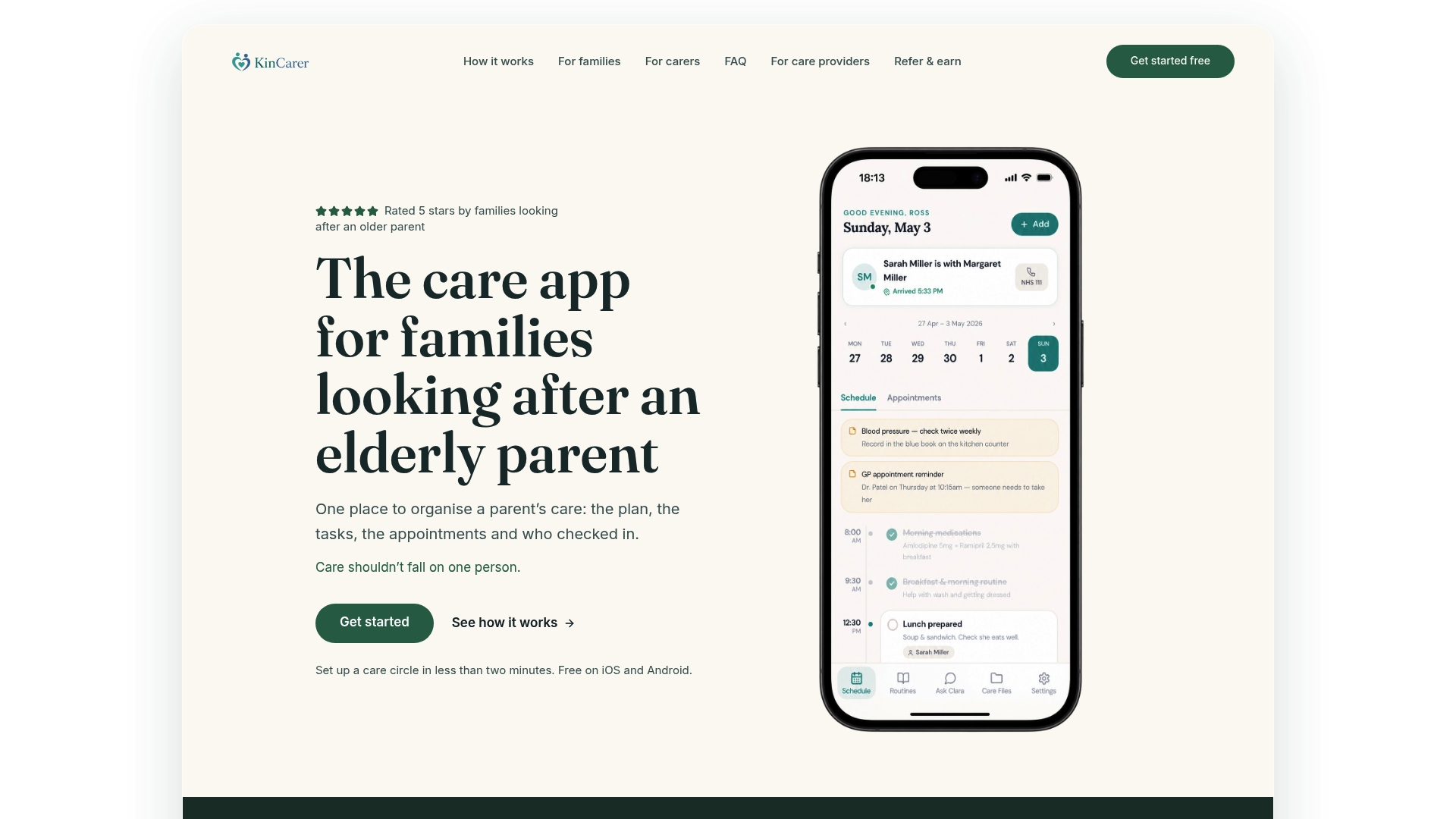
Kincarer is the practical way to put this article’s checklist into action rather than leaving it as a good intention. Setting up a circle takes minutes: create your parent’s profile, invite one relative or paid carer, then build the emergency summary and test it exactly as described above. Families can start with the 14-day free trial, while care organisations exploring sponsored access for the families they support can look at Kincarer for organisations. If you want to see the full feature set first, the Kincarer overview is the place to start. Invite one person today and see whether they can find the emergency summary in under a minute, that’s the real test.
Sources
For the official detail behind this guidance, keep these close: NHS England’s carer contingency planning recommendations, the NHS shared care records framework, and the personalised care and support plan standard.
- Carer contingency planning: recommendations for integrated care systems (NHS England)
- NHS digital guidance on shared care records
FAQ
What should be in an emergency contact list app?
At minimum: full name, address, medication list, GP and social care contacts, and clearly tagged nominated relatives or paid carers. NHS contingency planning guidance treats these as the core components of a proper plan, not just phone numbers.
Is KinCarer suitable for sharing with paid home care agencies?
Yes. KinCarer’s care circles allow relatives and paid carers to be invited into the same shared record with role-based permissions, so an agency sees care tasks and updates without unrestricted access to every family note.
Do I need to tell the GP surgery about a family care plan app?
It helps. If you’re also using NHS App family and carer access or a Coordinate My Care record, the surgery needs to know so the two systems don’t contradict each other.
How often should an emergency contact plan be reviewed?
Quarterly is a sensible default, with an extra review whenever medication, mobility, or a carer arrangement changes. NHS shared care record guidance flags outdated information as the most common weakness in family care plans.
What does KinCarer cost?
KinCarer starts with a 14-day free trial, then Family+ is available monthly or yearly. Organisations can buy Family+ for the families they support, with prices on the organisations page.