KinCarer and 2 Medisafe Alternatives for Families Sharing Care Plans
Compare KinCarer, Jointly and LogMyCare's Family App: family first Medisafe alternatives that share tasks, meds, check ins and handover notes.
By The KinCarer team ·
For families coordinating care for an elderly parent, KinCarer is the strongest medisafe alternative because it builds around a shared care circle rather than one person’s pill schedule. Jointly and LogMyCare’s Family App are also worth a look. All three cover shared tasks, medication reminders inside a proper care plan, check‑ins and handover notes, unlike apps designed for a single user managing their own medicines.
TL;DR:
- KinCarer is designed for shared care circles, allowing family and paid carers to access and update medication plans, tasks, and handover notes simultaneously.
- Unlike single-user apps, KinCarer enables multiple users to view reminders, log care activities, and access shared documents, fostering collaboration.
- The app starts with a 14-day free trial, then Family+ monthly or yearly, with separate options for organizations, and supports inviting both family members and paid carers with tailored permissions.
- It does not offer medical or legal advice, only summarises logged data; Clara can search and review documented information within the circle.
- Choosing the right app depends on your family’s caregiver structure and whether paid carers need full access or simple view-only updates.
Table of Contents
- Why families need a shared care circle, not a solo pill app
- How do the shared care‑circle apps compare?
- How to choose the right shared care‑circle app for your family
- A realistic plan for week one
- Try KinCarer: how to get started
- Official guidance and charities that help with shared care
- Sources
- FAQ
Why families need a shared care circle, not a solo pill app
Most families caring for mum or dad don’t have one carer. They have three siblings, a spouse, maybe a home care agency, all trying to work from the same picture without stepping on each other. A single‑user medication app was never built for that. It logs one person’s pills and sends one person’s reminders, which is fine for someone managing their own prescriptions, but it leaves everyone else guessing.
That gap is exactly what government guidance for people supporting a relative with health or care needs tries to close. It recommends building a shared care list or plan and circulating it to everyone involved, using templates that cover tasks, contacts and contingency arrangements. That’s the job a shared care‑circle app is meant to do: hold the plan, the medication reminders, the notes and the contacts in one place that the whole family and any home care agency can see.
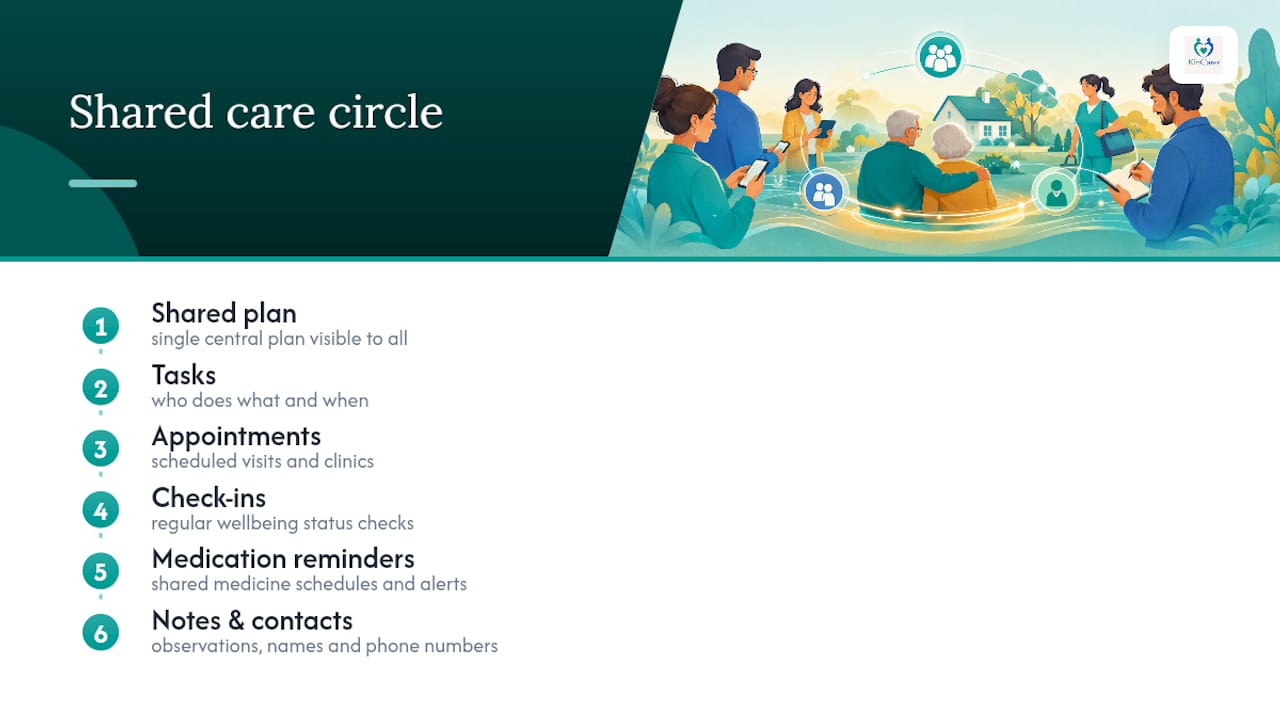
NICE guidance backs the same principle from a clinical planning angle. It recommends a single, named care coordinator and joint ownership of the care plan, with medicines management built into that plan rather than tracked separately. Carers UK makes a similar point from the family side: digital coordination tools make the unpaid work carers do visible and shareable, which matters when one sibling is quietly carrying most of the load and nobody else realises it.
How do the shared care‑circle apps compare?
Each of these three takes a different approach to the same problem: keeping a family, and sometimes paid carers, working from the same information.
KinCarer builds its circle around the family first, then invites paid carers in as needed, with Clara available to pull up “when did mum last take her blood pressure tablets” without anyone scrolling through weeks of notes. Clara doesn’t offer clinical or legal advice; it summarises what’s already been logged.
Jointly leans towards simplicity. Its shared lists and contingency templates suit families who want something quick to set up and don’t need deep configuration, though the feature set stays lighter than a full shared care plan.
LogMyCare’s Family App takes a different angle entirely: it’s provider‑facing first. A home care agency logs visits as they happen, and the family gets a real‑time window into that record. Its own guidance on turning everyday care into trust explains the thinking: capture the update at the point of care, not as a separate admin task afterwards. That works well if a paid agency already uses the platform, but families without one lose most of the benefit.
A few practical differences matter more than they first appear:
- Invite friction varies. Some apps, Jointly among them, rely on email invites, which can be a barrier for an elderly relative who isn’t confident with email.
- Not every app lets paid carers in with the same ease as family members, so check whether your home care agency can actually join the circle or only view a limited feed.
- Handover notes behave differently across apps. Some keep a clean, timestamped log; others let notes drift into general chat, which buries the one detail that matters during a crisis.
How to choose the right shared care‑circle app for your family
Start with who actually needs access, not which app has the most features. A family with three siblings and no paid help needs different settings than one working alongside a home care agency five days a week.
- Map your circle first. Decide who needs full access, who needs view‑only, and whether a paid carer needs to log directly into the app or just read updates.
- Test the medication reminder as a shared feature, not a personal one. Set up one recurring reminder and check whether more than one person can see it was actioned, not just receive the alert.
- Check document attachment. Can you drop in a copy of the care plan, a prescription list or a hospital letter, and will everyone in the circle see it?
- Look at handover history. Ask whether previous notes can be edited or deleted by anyone other than an admin. Auditability matters if you ever need to reconstruct what happened before a fall or an admission.
- Watch for red flags. No granular permission levels, notes that double as a chat thread, or no visible history are all signs the app will get messy fast once more than two people use it.
Pro Tip: Before committing to any app, run a one‑week trial with just two family members. Log one real medication reminder and one real handover note. If it still feels clear after a busy Tuesday, it will hold up long term.
A realistic plan for week one
Pick one person to coordinate, not necessarily the one already doing the most. Invite one supportive relative first, build a simple care list, and set up a single recurring medication reminder together. Agree a short handover format: what happened, medication given, mood, anything to flag. Keep entries factual rather than conversational, and hold a ten to fifteen minute weekly check‑in to review what’s working. Carers UK and your local carers’ centre both offer free guidance if you get stuck.
— KinCarer
Try KinCarer: how to get started
There are other shared care‑circle apps worth trying, and Jointly and LogMyCare’s Family App both have genuine strengths depending on your setup. KinCarer’s advantage is straightforward: it puts relatives and paid carers in the same circle from day one, with shared tasks, medication reminders, check‑ins and handover notes all in one place, so no single person is left holding the whole plan in their head.
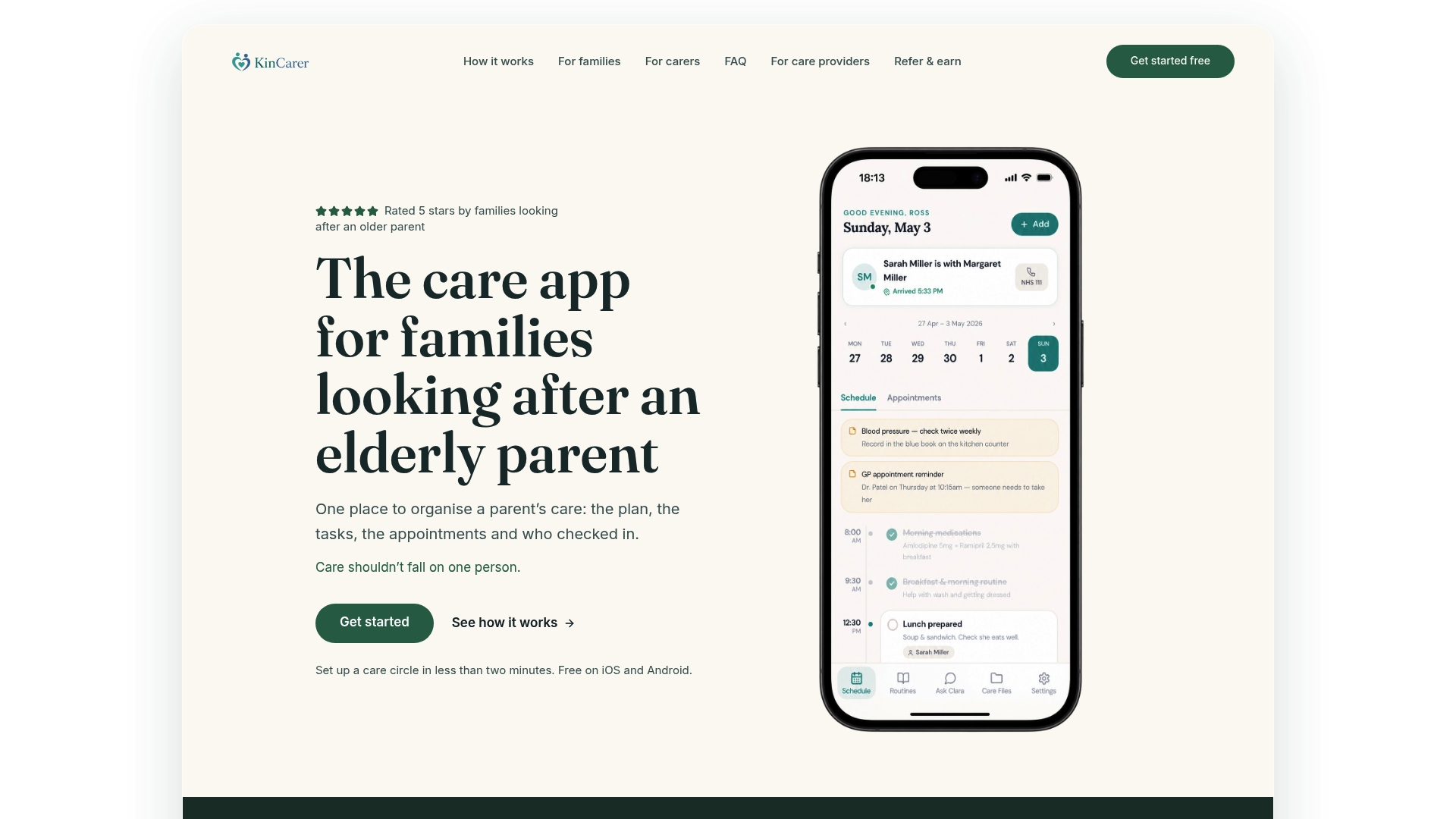
A trial lets you test the parts that matter most: inviting a second family member, setting up a shared medication reminder, and writing a first handover note. Clara, KinCarer’s optional AI assistant, can help you search and summarise what’s already in the circle, though it never gives medical or legal advice, so decisions about mum’s care still sit with your family and her GP.
Families ready to start can visit KinCarer for families and start the 14-day free trial of Family+. Care teams or organisations coordinating alongside family members can look at KinCarer for Organisations, where organisations can buy Family+ for the families they support. Either route starts with the same shared circle, tasks and reminders described above.
Official guidance and charities that help with shared care
- NICE guidance NG22 sets out why a named care coordinator and joint ownership of the care plan, including medicines, matters.
- Carers UK’s online tools guide offers practical templates and advice for starting the sharing‑care conversation with siblings.
- NHS England’s family access feature in the NHS App lets a carer switch profiles and, where a GP enables it, order repeat prescriptions for a relative.
Sources
- NICE guidance NG22 — recommendations on older people with social care needs
- Supporting loved ones with health or care needs: your practical guide
- Online tools to help with caring — Carers UK
- NHS App’s family access feature — NHS England
FAQ
What makes an app a good Medisafe alternative for families?
A good alternative supports a shared care circle rather than one person’s medication schedule, so tasks, reminders, check‑ins and handover notes are visible to everyone involved. KinCarer, Jointly and LogMyCare’s Family App all take this shared approach, each with a different focus.
Are there free alternatives to Medisafe for shared family care?
Jointly and LogMyCare’s Family App both offer entry points without an upfront cost, though feature depth varies. KinCarer starts with a 14-day free trial, then Family+ is available monthly or yearly.
Can paid carers join a shared care‑circle app alongside family?
Yes, though how easily depends on the app. KinCarer is built so relatives and paid carers can sit in the same circle with appropriate permissions, while LogMyCare’s Family App is designed from the provider’s side, giving families a view into logs a home care agency records.
How do medication reminders work differently in a shared plan?
Rather than alerting one person, a shared plan lets multiple family members see that a reminder exists, confirm it was actioned, and review the history later. This fits the NICE recommendation that medicines management sit inside a jointly owned care plan, not a separate personal log.
What should a good handover note include?
A clear handover note is a factual, timestamped entry covering medication given, mood or behaviour changes, and anything that needs following up, rather than general conversation. This keeps critical information easy to find during a crisis, a protocol Carers UK’s guidance recommends for families sharing care.